When a task changes, BugDump tells the people that task concerns. Nobody follows or subscribes to anything: the task itself decides who hears about it.
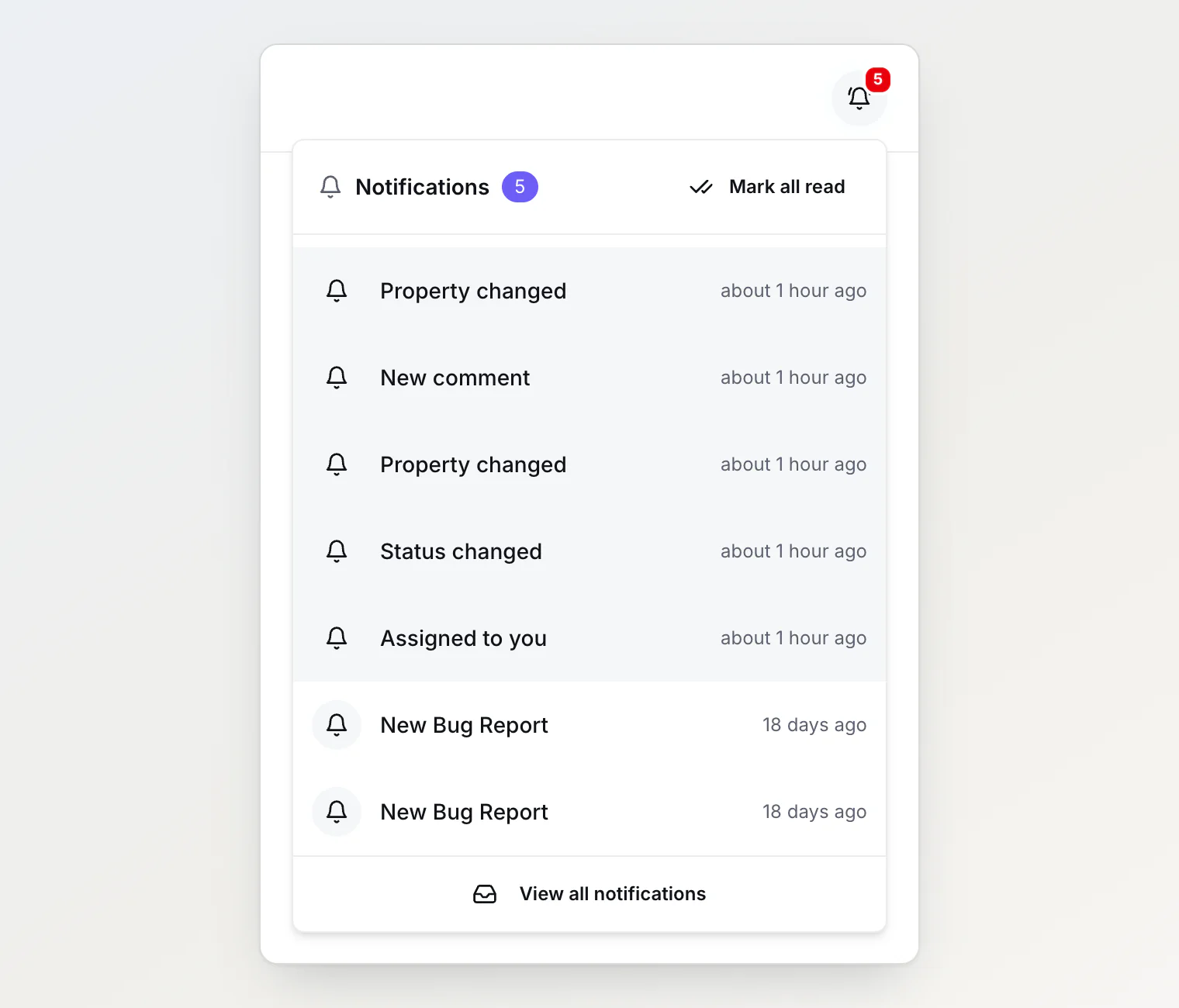
What you're notified about
Change | Who hears about it | Notification |
|---|---|---|
A task is assigned to you, or created with you as its assignee | You only | Assigned to you |
Someone comments on a task you're involved in | Everyone involved | New comment |
A task you're involved in moves to another column | Everyone involved | Status changed |
Its priority, labels, due date or one of your custom properties changes | Everyone involved | Property changed |
Reassigning a task tells only the new assignee, and unassigning it tells nobody.
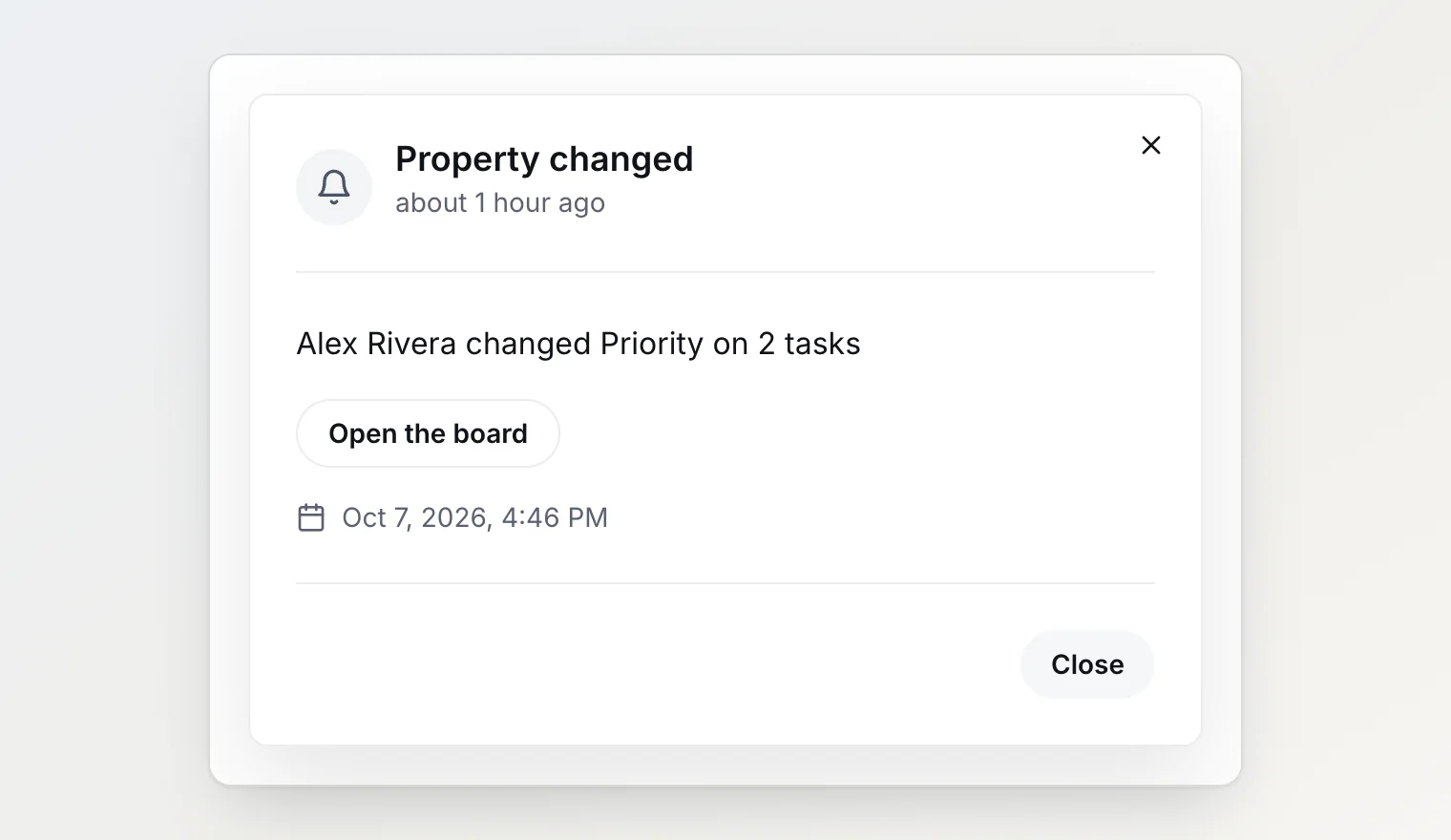
A status change says what it means: Alex Rivera resolved AS-3 when the task moves from an open column to a closed one, reopened AS-3 for the reverse, and moved AS-3 to In Progress between two columns of the same kind. A property change names the property, not the new value, so it is still true after the next edit: Alex Rivera changed Priority on AS-3.
Who counts as involved
You're involved in a task if you:
created it,
are its assignee,
are named in a member property on it, such as a Reviewer or QA owner field your project added,
have commented on it.
Only current members of the project are notified. Someone removed from the project stops hearing about its tasks.
The person who made a change is never notified about it. That includes changes their AI assistant makes for them: when Claude or Cursor moves a task through your MCP token or connected app, you hear nothing, and everyone else reads Alex Rivera via MCP.
Bringing someone into a task
There is no follow button. To loop someone in, make them part of the task: assign it to them, name them in a member property, or ask them to comment. From then on they hear about every change. Take them out of the property and they stop, unless they're involved some other way.
Naming someone in a member property notifies them straight away, because the change is to a task they're now part of. Member properties are custom properties, on Pro and Ultra. See Custom properties: adding your own fields to tasks.
@mentions
When a comment @mentions you, you get You were mentioned for it instead of New comment, not both. If you still have an unread mention from the same person on the same task, a new one doesn't send another: the unread one already points you there.
A comment written through MCP doesn't send @mentions, so everyone involved gets the ordinary New comment for it.
A burst of edits is one notification
One person's property changes to a task count once every five minutes. Triage happens in bursts: a priority, two labels and a due date inside a minute. You get one Property changed for the burst, naming the first property. A change by somebody else is notified on its own.
A member property has a window of its own, so someone named as Reviewer right after a priority change still hears about it.
A bulk action is one notification per person. Move, assign or set the priority of 30 tasks from the board's selection bar, and each person gets one notification: Alex Rivera moved 30 tasks to Done. The count is the whole action, not only the tasks you're involved in, and its button opens the board instead of a single task.
Opening a notification
Click a notification in the bell to see the whole sentence and the task's title, and for a comment, the start of what was written. View task opens the task.
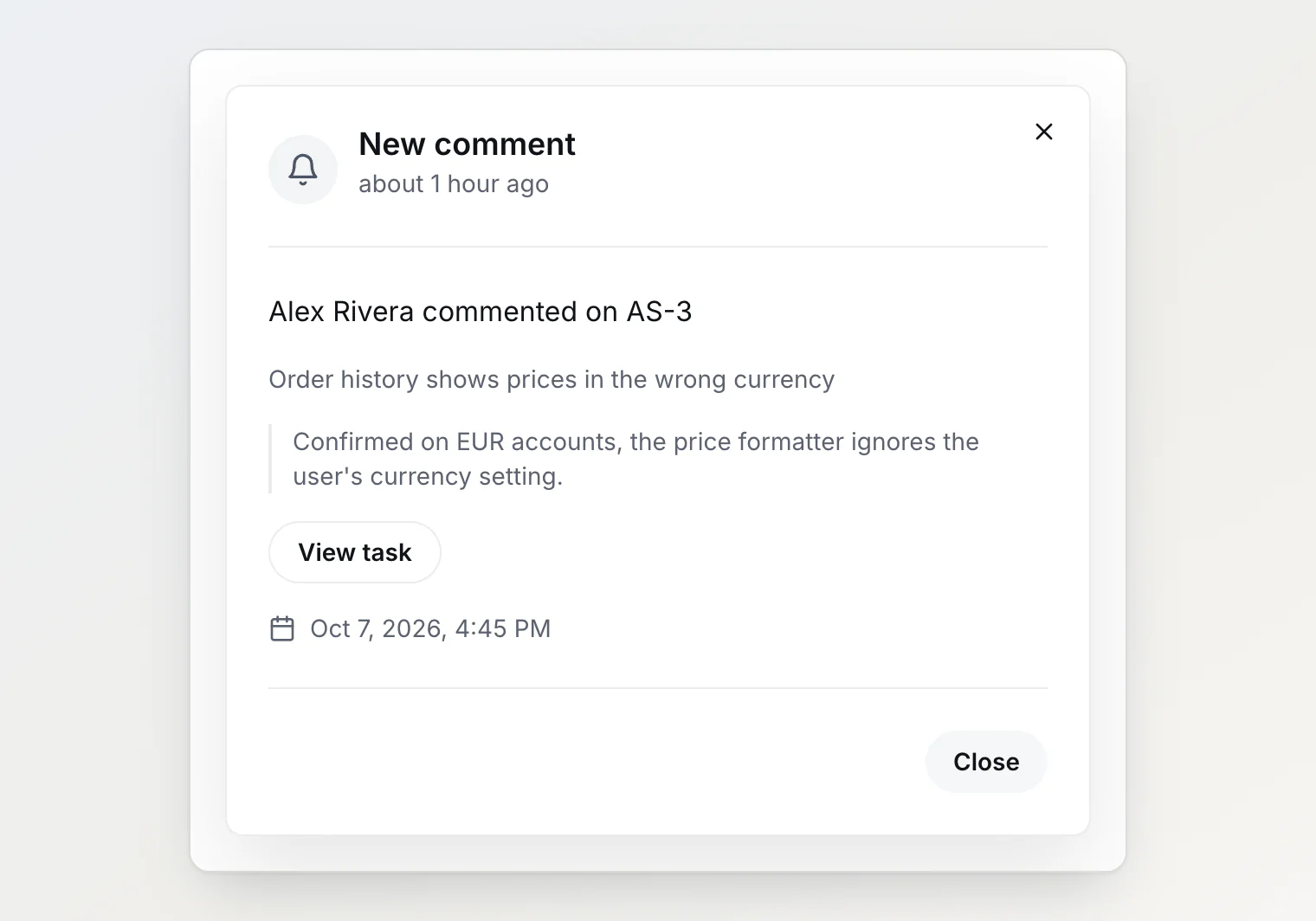
Every one of these notifications is also emailed, on every plan, Free included. A comment email quotes the start of the comment under the sentence, and its button opens the task. Emails are written in the language you use BugDump in.
You get them only with a verified email address and Email notifications switched on under account settings → My notifications. Switching it off stops every notification email, new reports and @mentions included. The bell keeps everything either way.
There is no digest: one change, one email, apart from the five-minute window on property changes above.
What doesn't notify
Editing a task's title or description, unless the edit @mentions someone.
Making a task public or private on the portal.
Deleting tasks.
Switching a column between open and closed in the board settings. The tasks in it don't move, so nobody is told.
Reordering cards inside one column.
A task created from a widget report. Every member gets New Bug Report for those, as before.