BugDump ships an MCP server, so Claude Code — or Cursor, or any MCP client — can read your bug reports as a first-class data source. Instead of copying a stack trace into a prompt, you give the agent the task ID and it fetches the evidence itself. With write access it can also close the loop: move the task, comment with the fix, set the priority, and assign it.
The MCP server is included on every plan, Free too.
Using Claude on the web, desktop or mobile, ChatGPT or VS Code? Those apps connect by signing in, with no token to create: see Connecting Claude, ChatGPT or VS Code to BugDump. This article covers personal tokens, which Cursor, scripts and CI jobs use — and Claude Code, if you'd rather use a token than sign in.
Coming from a shared MCP key? Project-level MCP keys have been replaced by personal tokens and no longer work. Create your own token below and update your client's configuration. See the changelog for what changed.
1. Create a personal token
Open your project's MCP server page and, under Personal tokens, click Create token. Name it after where it will live — "Work laptop" or "CI agent" — so you can tell your tokens apart later.
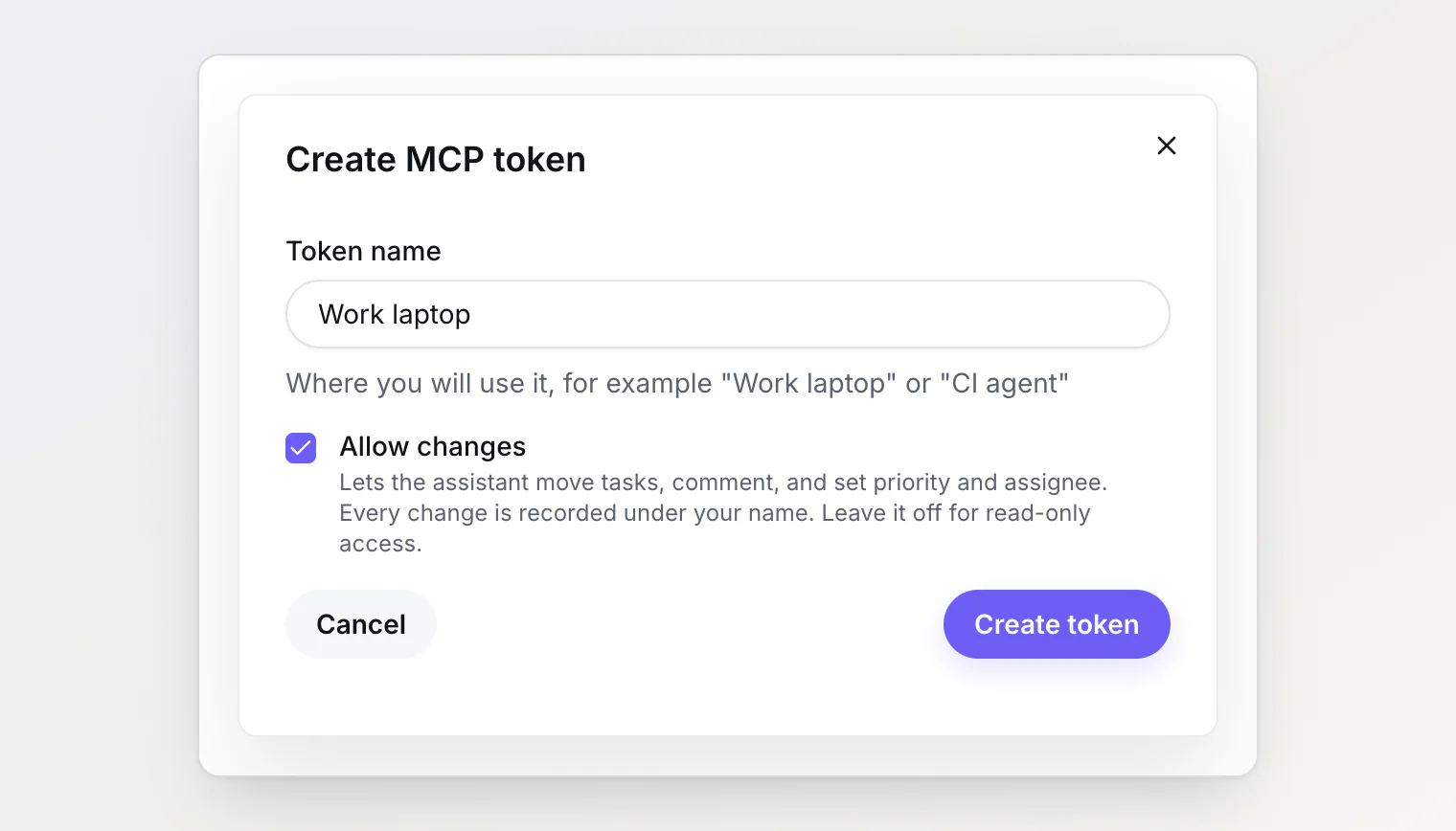
Leave Allow changes off for read-only access. Check it to let the assistant move tasks, comment, set priority, and assign. A token's access is fixed when it is created; to change it, create a new token and revoke the old one.
The token acts as you. It sees what you can see in this project, and anything it changes is recorded under your name. Every member creates their own — there is no shared project key.
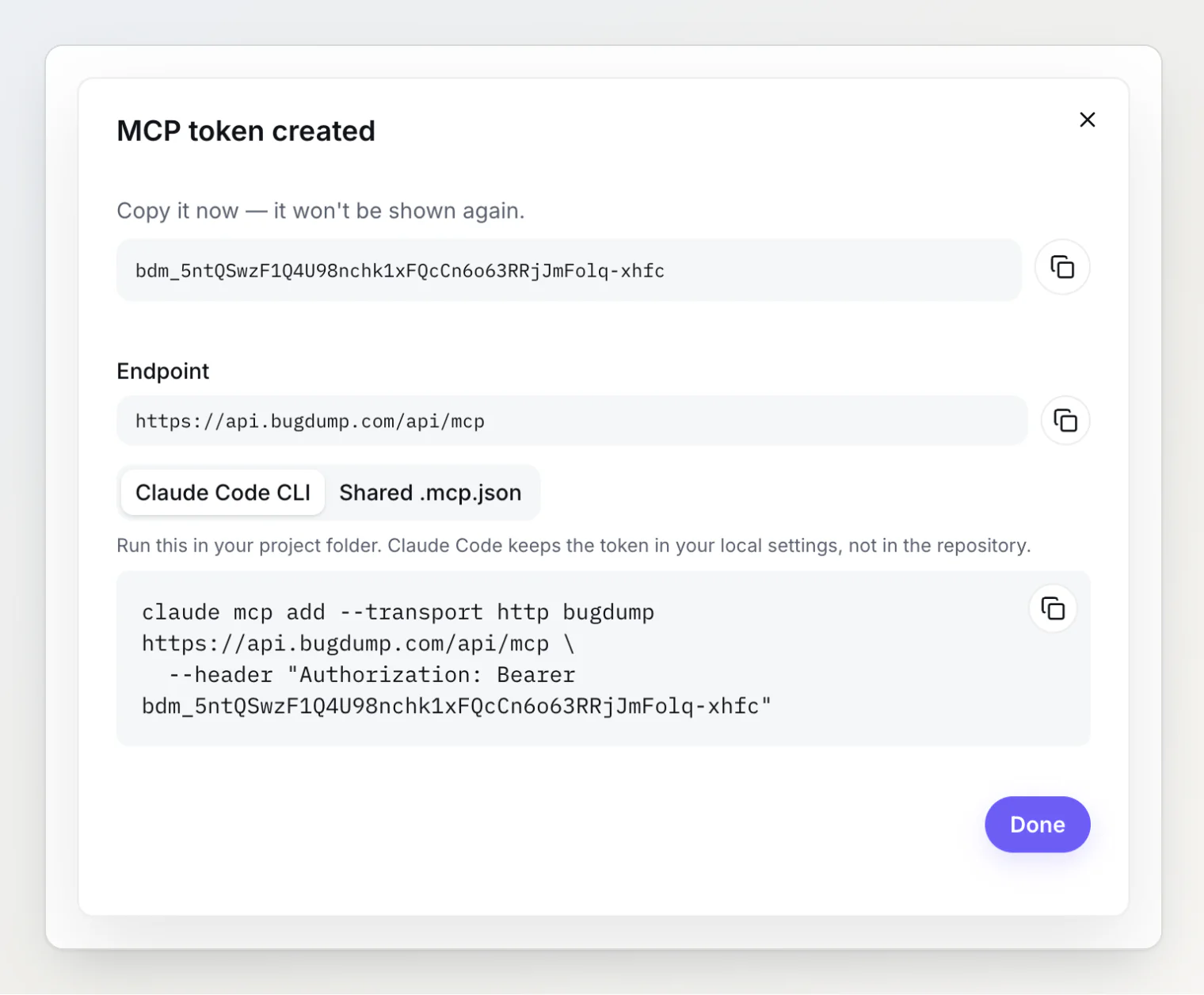
BugDump shows the token once. Copy it before you close the dialog; afterwards the page only shows its last four characters.
2. Connect Claude Code
The dialog gives you the command with your token already in it. Run it in your project folder:
claude mcp add --transport http bugdump https://api.bugdump.com/api/mcp \
  --header "Authorization: Bearer $BUGDUMP_MCP_TOKEN"
Set BUGDUMP_MCP_TOKEN to your token first, or paste the token in its place. Claude Code stores the server in your local settings, so the token never lands in your repository.
Sharing the setup with your team
To give everyone the same configuration, commit a .mcp.json at your project root. It holds no secret — each teammate sets BUGDUMP_MCP_TOKEN to their own token:
{
  "mcpServers": {
    "bugdump": {
      "type": "http",
      "url": "https://api.bugdump.com/api/mcp",
      "headers": {
        "Authorization": "Bearer ${BUGDUMP_MCP_TOKEN}"
      }
    }
  }
}
In Cursor, put the same server in .cursor/mcp.json and write the variable as ${env:BUGDUMP_MCP_TOKEN}.
Once connected, ask the agent to call get_current_project: it confirms which project the token is bound to and lists the project's kanban columns and members.
3. The tools
Every token gets the read tools:
Tool | Returns |
|---|---|
| The project, its kanban columns with task counts, its members, its properties with their option ids, and |
| Tasks with their ref, column, priority, assignee, timestamps and a short snippet — filter by text, status, column, labels, assignee, the reporter's browser, OS and device, a creation range, a resolution range, or any property via |
| One task: its column, the body as Markdown, its attachments, and its linked errors |
| The team's discussion on a task |
| A task's column moves, priority and assignee changes, edits, and changes to labels, the due date and custom properties, each naming the property |
| The reports attached to a task |
| One report — console, network, screenshots |
| A report's complete console, network, and actions, paged |
| Project-wide daily counts of opened and resolved tasks |
| The project's captured errors, filtered by |
| One captured error with its stack trace, resolved through source maps when they were uploaded, and its newest stored event with console, network and actions, summarized |
A token created with Allow changes also gets the write tools:
Tool | Does |
|---|---|
| Moves a task to another column, by column name or id. Moving into a closed column resolves the task |
| Comments on a task in Markdown |
| Sets or clears a task's priority, by the priority's name |
| Assigns a task to a member, or unassigns it |
| Replaces a task's labels with exactly the ids you pass |
| Sets or clears a task's due date, as |
| Sets or clears one custom property value on a task |
Tasks can be addressed by their ref — BD-42, #42, or 42 — or by the internal id that list_tasks returns. The tools form a drill-down chain: find a task, list its reports, read a report, then page through its full telemetry.
Captured JavaScript errors have their own pair: list_errors finds an error and get_error reads it. See Working with captured errors.
A token is bound to one project, so these tools never take a project. An app connected by signing in reaches all your projects instead: it gets the same tools plus list_projects, and each tool takes a project argument. See Working across projects.
Properties, priorities and filters
get_current_project returns every property the project has: the five built-ins (system is status, assignee, priority, labels or due_date) and the custom ones you created (system is null). Select-like properties come with their option ids.
Start there rather than assuming a fixed set of values. Priorities are named by each project — yours may be Blocker and P1 rather than Critical and High — and set_priority takes the name, matched case-insensitively.
propertyFilters on list_tasks works against any property, built-in or custom, so an agent can ask for "open tasks whose priority is Blocker" or "tasks where Customer tier is Enterprise" in a single call:
{ "status": "open", "propertyFilters": [{ "op": "anyOf", "propertyId": "…", "optionIds": ["…"] }] }The operators are anyOf, isSet, isTrue, textContains, numberRange and dateRange, and up to ten combine with AND.
The built-in fields each keep their own write tool, so set_task_property is for your own properties only and refuses a built-in.
Changes are recorded under your name
Everything a write tool does shows up in the task's history and comments under your name, with a via MCP label, so the team can tell what the assistant did from what people did.
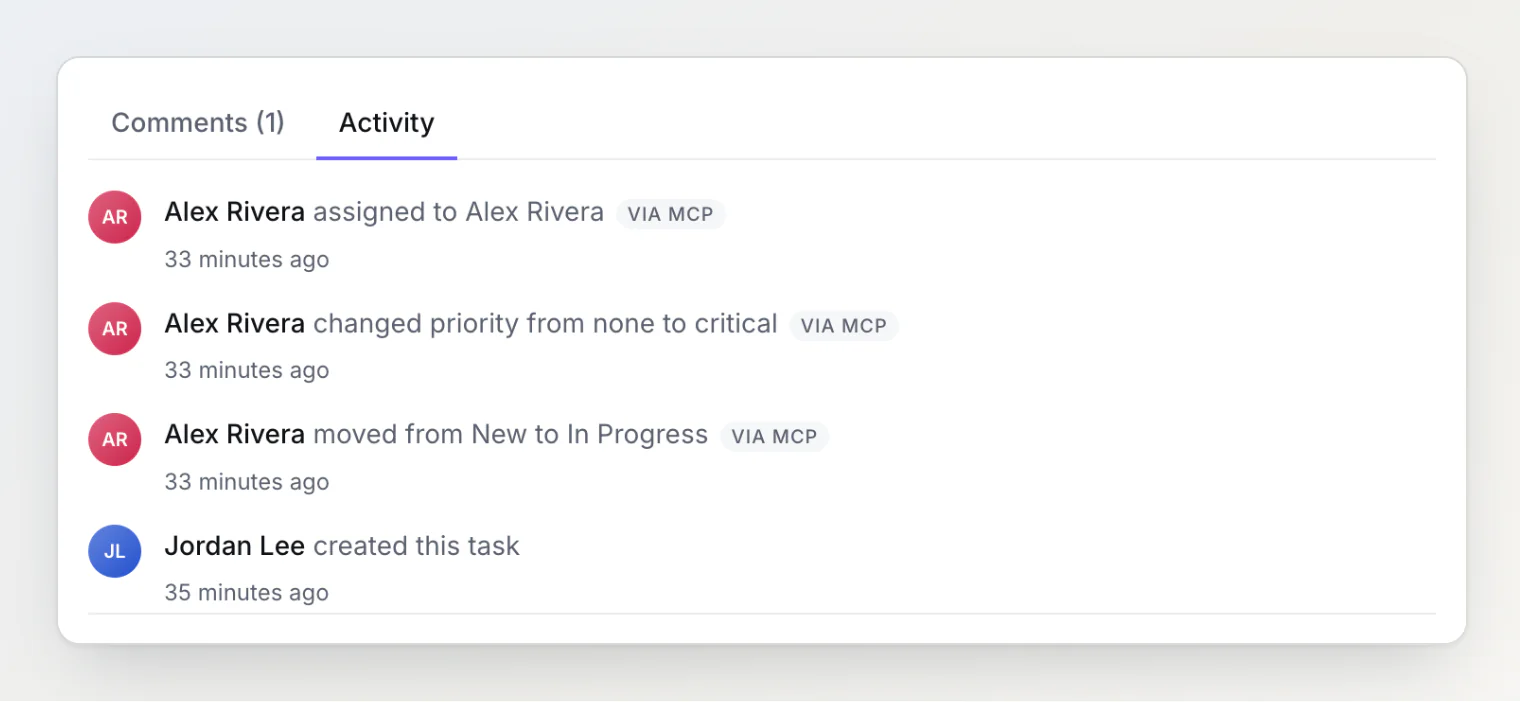
Each change is also written to the audit log with the token that made it. Write tools are limited to 60 changes a minute per tool, per person.
The agent's changes notify your teammates the way yours do: the people involved in the task hear about a move, a comment, a new assignee or a changed property, and read Alex Rivera via MCP. You are not notified about your own agent's work. A comment from add_comment does not notify the people it @mentions. See Task notifications: who hears about a change.
Summary versus full telemetry
get_report returns a compact summary by default — the last 50 console entries and actions, with network bodies stripped. This keeps a routine lookup from flooding the context window.
For a report where the interesting event is older than the last 50 console lines, or where the request body matters, use get_report_telemetry. It pages through console, network with bodies, and actions in chronological chunks until everything has been read.
The distinction matters: a summary showing nothing is not evidence that there is nothing. The response states what was trimmed.
Using it
The productive pattern is short:
Look at task BD-42 in BugDump and fix it.
The agent reads the task, pulls the attached reports, correlates the console error with the failing network request, finds the matching code, and proposes a fix. You never open the dashboard.
With a write token, add the ending:
Fix BD-42, then move it to Done and comment with a short summary of the fix.
Your week, without reading every task
Give me a report of my tasks for this week, split into In progress and Done.
The agent calls get_current_project once — viewer.userId tells it which member you are, so "my tasks" is not a guess at a name — and then one list_tasks per group: assigneeId with the In Progress column, and assigneeId with status: "closed" and resolvedFrom set to Monday. Every task it gets back carries resolvedAt, so it can group by day without asking again.
Note that updatedAt is not an activity stamp: a visitor upvoting a task on your public portal moves it, while assigning a task does not. Ask for a resolution window, not for recently-updated tasks.
More prompts, and why they work, are in MCP recipes: prompts that work.
Revoking a token
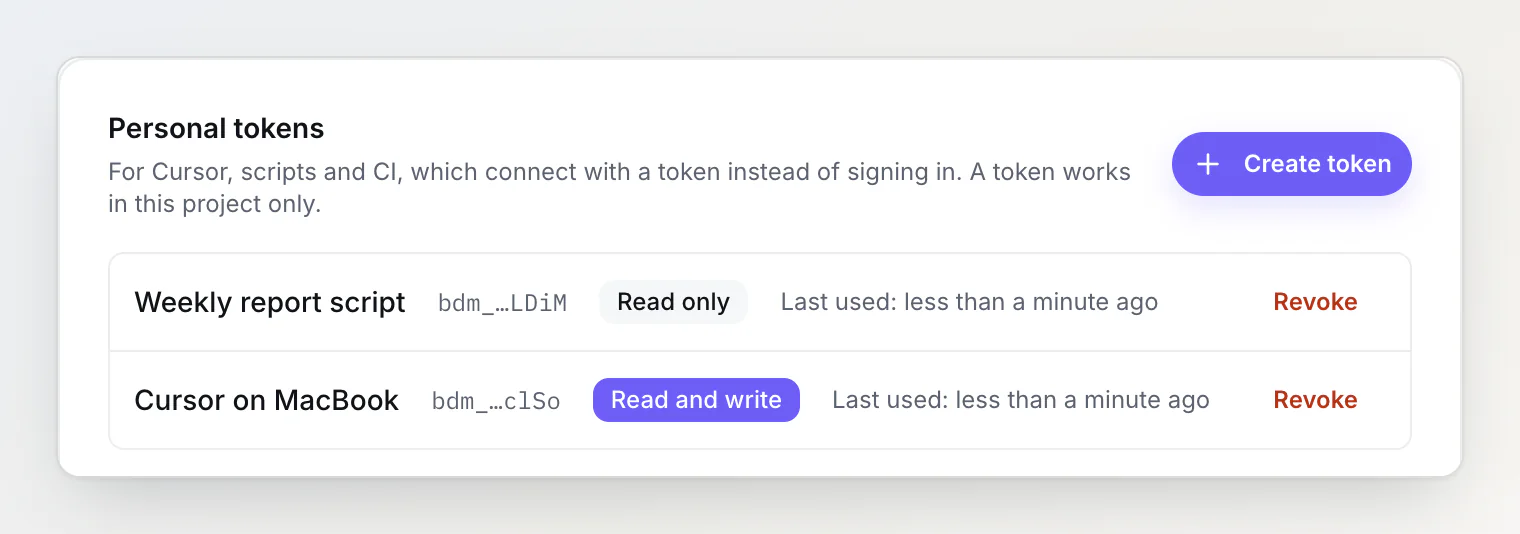
Revoke a token on the MCP server page and it stops working on the next request. OWNERs and ADMINs see every member's tokens under All tokens in this project and can revoke any of them. Removing someone from the team revokes all of their tokens.
Troubleshooting
MCP_PERSONAL_TOKEN_REQUIRED (401). The client is sending a key that starts with bd_ — a widget key, or a shared project MCP key from before personal tokens. Those no longer work. Create your own token and update your client's configuration.
MCP_TOKEN_INVALID (401). The token was revoked, mistyped, or its owner is no longer a member of the project.
The write tools are missing. The token was created without Allow changes. Create a new one with the box checked.
A tool reports "not found" for an ID. IDs must come from a previous response. A task ref from another project is reported as not found, because a token only ever sees its own project. Report IDs must come from list_reports_for_task — they cannot be guessed.
The agent says a report has no console output. It probably read the summary. Ask it to use get_report_telemetry for the full history.
See also
Reading a bug report
Custom properties: adding your own fields to tasks
Customizing priorities
Team members, roles, and permissions