BugDump has three kinds of credentials with deliberately different powers: widget keys, which are public, MCP tokens, which are personal and secret, and release tokens, which your CI uses to upload source maps. Using each in the right place is the most important security decision you make here.
The three credentials
Widget key | MCP token | Release token | |
|---|---|---|---|
Starts with |
|
|
|
Used by | The widget on your site | One member's AI client — Claude Code, Cursor, any MCP client | Your CI, to upload source maps |
Can read reports? | No | Yes, as the member who created it | No |
Safe in frontend code? | Yes | Never | Never |
Managed on | The project's Widget page | The project's MCP server page | The project's Source maps page |
Created by | OWNER or ADMIN | Any member, for themselves | OWNER or ADMIN |
Widget keys are meant to be public
A widget key lives in your frontend, where anyone can read it by viewing source. That is expected and fine.
The reason it is fine is that a widget key can only submit reports. It cannot list, read, or delete anything. Someone who extracts your widget key gains the ability to file bug reports at you — which, at worst, is spam, and is bounded by rate limiting and origin restrictions. Spam does count toward the project's monthly report limit, though, so a key abused from another site can use up the month's reports; allowed origins keep other websites from doing that.
Do not go to unusual lengths hiding a widget key. It is designed for exposure.
Restricting which sites can use a widget key
Because widget keys are public, BugDump lets you restrict which origins may submit with them. Set allowed origins in step 3 of the project's Widget page; a request whose Origin does not match is rejected with a 403.
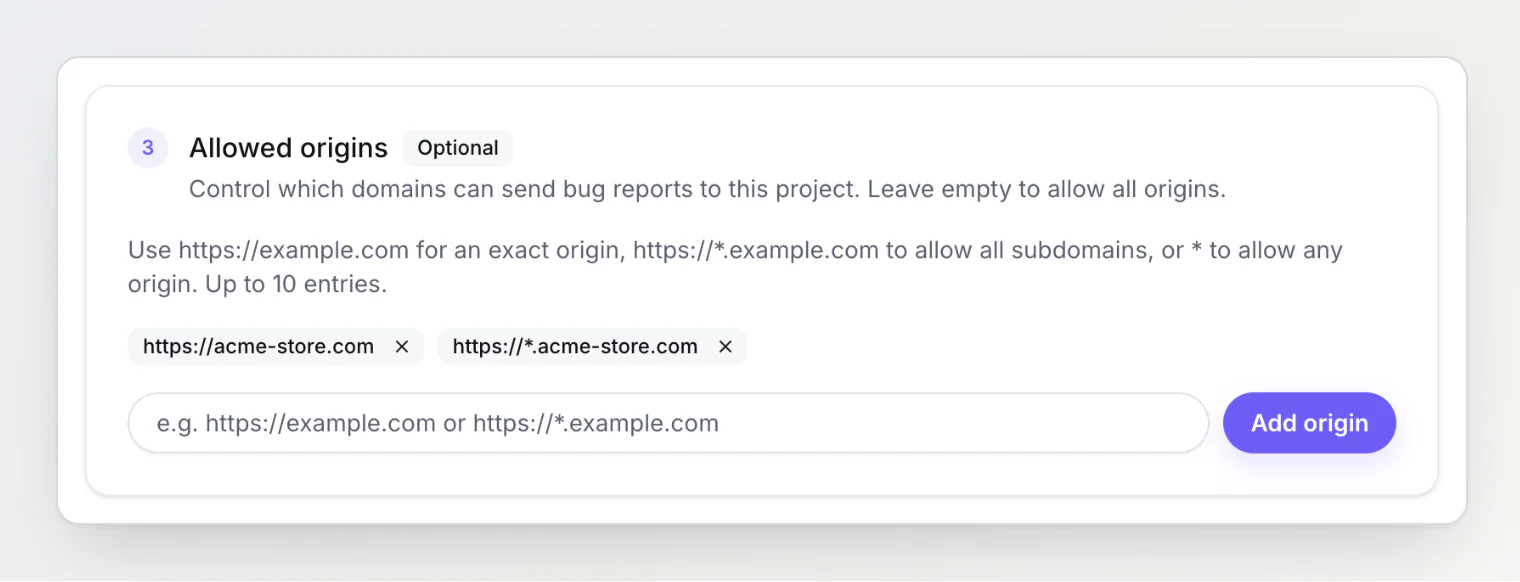
Matching works on protocol and host:
Entry | Matches |
|---|---|
| that exact origin |
|
|
| any origin |
Protocol must match — an https:// entry will not admit an http:// origin.
Leaving the list empty allows any origin, which is the default. Setting it is the single most effective thing you can do about a leaked widget key: even with the key, another site cannot submit through it.
Remember to include your development origins (http://localhost:3000) if you configure this, or local testing will start returning 403.
MCP tokens are personal and secret
An MCP token lets an AI client read your bug reports — including console logs, network traffic, and session replays, which may contain sensitive data from your users' sessions. A token created with Allow changes can also move tasks, comment, set priority, assign, set labels, set a due date, and set your own custom properties.
Each token belongs to one member and one project. It acts as that member: it sees what they can see, and every change it makes is recorded under their name with a via MCP label. A token cannot be pointed at another project, and there is no way to widen its scope after creation — when you hand a token to an autonomous agent, "this can only ever see one project" is a structural guarantee rather than an instruction the agent might disregard.
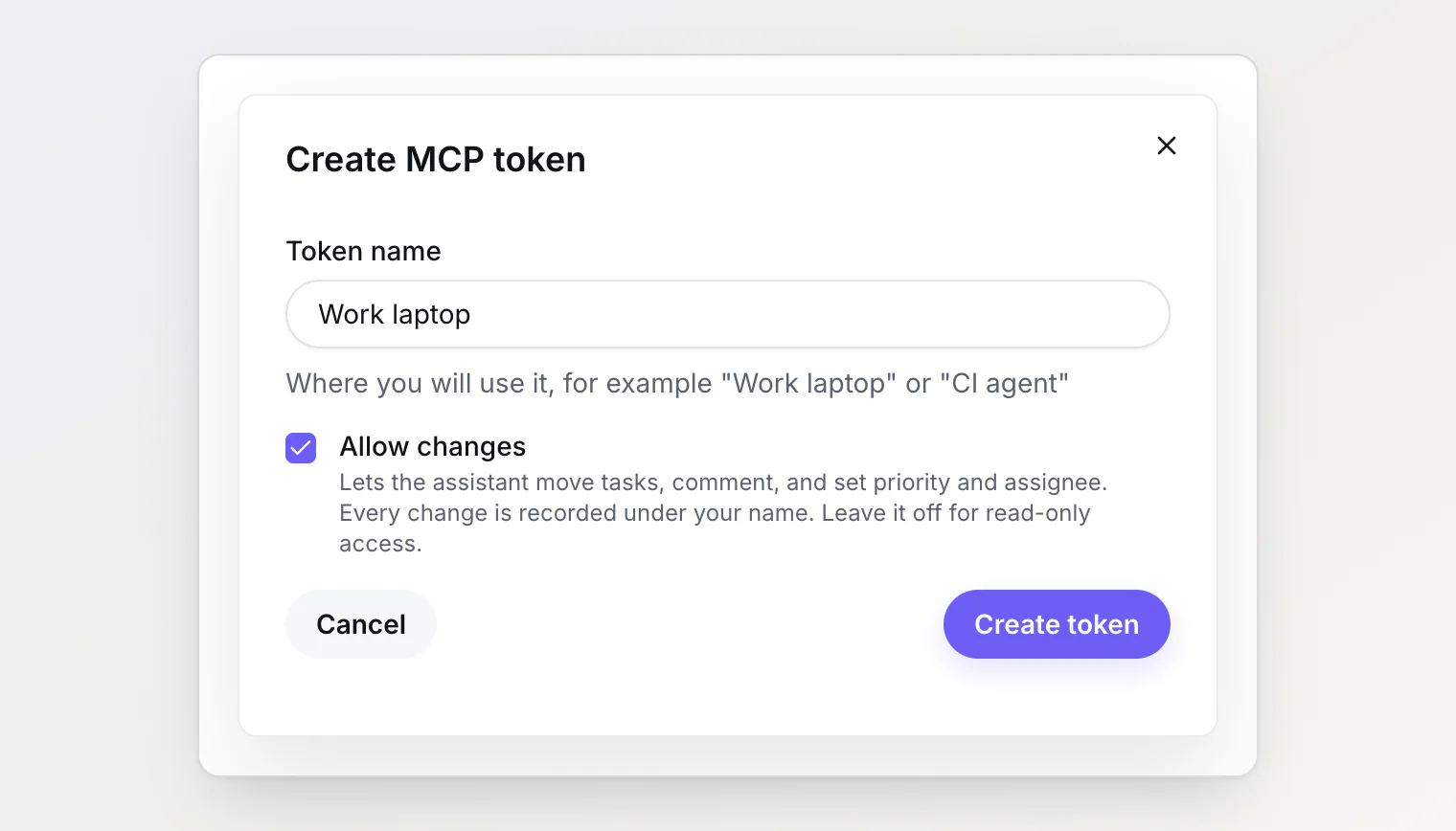
BugDump shows a token once, when you create it, and stores only a hash of it. Treat it like a database credential:
Never put it in frontend code
Never commit it to a repository — the shared
.mcp.jsonon the MCP server page reads it from aBUGDUMP_MCP_TOKENenvironment variable insteadKeep it in your local MCP configuration or a secret manager
Leave Allow changes off unless the assistant needs to change tasks
Every request checks that the token's owner is still an active member of the project, so removing someone from the team revokes all of their tokens at once.
Signing in instead of a token
Claude, Claude Code, ChatGPT and VS Code can connect without a token: paste the connector URL and sign in to BugDump in the browser. See Connecting Claude, ChatGPT or VS Code to BugDump.
There is no secret to store. On the consent page you choose Read and write (the default) or Read only; to change it, disconnect and connect again. One connection reaches every project you are a member of, and its changes carry the same via MCP label. Your connected apps are listed in account settings → Security → Connected apps.
Cursor and other clients, scripts and CI still need a personal token. For an unattended agent that should only ever see one project, a token is also the tighter choice.
Release tokens belong in CI
A release token lets your build upload source maps to one project, and does nothing else. It can't read errors or reports, it isn't a widget key, and it doesn't work as an MCP token. See Readable stack traces: uploading source maps.
BugDump shows it once, when you create it. Keep it in your CI's secrets, passed to the CLI as BUGDUMP_RELEASE_TOKEN, and never put it in frontend code: the upload runs in your build, not in the browser.
Creating and revoking
Widget keys are listed at the bottom of the project's Widget page. Creating and revoking them requires OWNER or ADMIN.
MCP tokens are created on the project's MCP server page. Any member can create up to 10 tokens per project for themselves and revoke their own. OWNERs and ADMINs also see every member's tokens there and can revoke any of them.
Release tokens are created on the project's Source maps page and require OWNER or ADMIN. A project holds up to 10; the list shows when each was last used, and Revoke is on the same page.
Create separate credentials for separate purposes: one widget key per site or environment, one MCP token per machine or agent, one release token per CI pipeline. The point is blast radius — when something needs revoking, you want to revoke exactly one thing.
Rotating a leaked credential
A widget key. Low urgency. Create a new one, deploy it, revoke the old one. Nothing sensitive was exposed. If you have not set allowed origins, this is a good moment to.
An MCP token. Treat as an incident. Revoke it immediately on the MCP server page — it stops working on the next request — before you create the replacement. Then consider what it could reach: anyone holding it could read your reports, and change tasks if it allowed changes, for as long as it was valid. The task history marks every change made through MCP, so you can see what it touched.
A release token. Revoke it on the Source maps page, then create a new one and update your CI secret. Builds using the old one start failing; nothing else changes. It could only upload source maps, so no reports or errors were exposed.
A connected app. Disconnect it in account settings → Security → Connected apps; it stops on its next request. Resetting or changing your password disconnects every app at once.
Rate limits
Widget submissions are rate limited to protect you from a leaked key being abused:
Plan | Reports per minute per project |
|---|---|
Free | 10 |
Pro | 20 |
Ultra | 60 |
There is also a separate per-IP limit of 10 submissions per minute, applied regardless of plan. It stops a single source from consuming your project's whole allowance — so a script hammering your key from one machine is capped well below your project limit.
MCP clients are limited per person rather than per token: 300 requests a minute across all of a member's tokens and connected apps, and 60 changes a minute per write tool. Creating more tokens does not raise either limit.
Webhook secrets are separate
Webhook signing secrets are not API keys and are managed per webhook. See Sending reports to your own systems with webhooks.
Common mistakes
Using an MCP token in the widget. The widget will fail to submit, and you will have published a token that can read your reports. If you have done this, revoke it now and use a widget key.
Sharing one MCP token across a team. Each person should create their own. A shared token hides who changed what, and cannot be revoked for one person without cutting off everyone.
Sharing one widget key across environments. Staging and production should have separate keys and, ideally, separate projects. Otherwise revoking a staging key breaks production.
Committing a token to git. Revoke it. Rewriting history does not help — assume anything pushed to a repository has been read.
Setting allowed origins and forgetting localhost. Local development breaks with a 403. Include your dev origins in the list.
See also
Team members, roles, and permissions
Using BugDump with Claude Code (MCP)