Action needed if you use MCP. The shared project MCP keys have been replaced by personal tokens, and they stopped working with this release. Create your own token on your project's MCP server page and update your client — it takes a minute. Widget keys are not affected: the widget on your site keeps working.
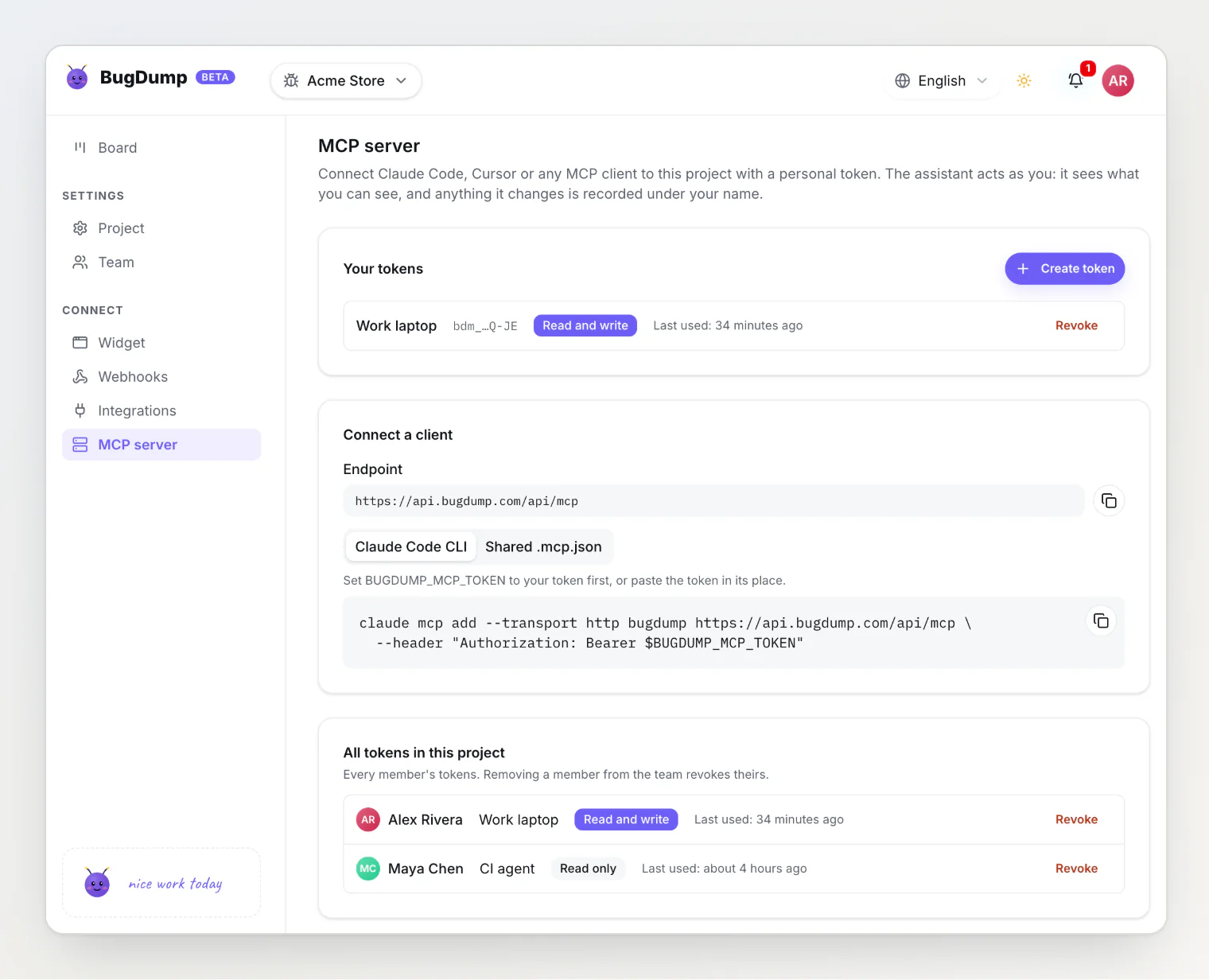
Personal MCP tokens
Every member now creates their own tokens on the MCP server page. A token acts as the person who created it: it sees what they can see, and anything it changes is recorded under their name.
Shown once, stored as a hash. After you close the dialog, only the token's last four characters are displayed.
Read-only by default. Check Allow changes to give a token the write tools.
Revocable per person. Revoke your own tokens at any time. OWNERs and ADMINs see every member's tokens and can revoke any of them, and removing someone from the team revokes theirs.
No secret in your repository. The page offers a shared
.mcp.jsonthat reads the token from aBUGDUMP_MCP_TOKENenvironment variable, so a whole team can commit one config.
Write tools: move, comment, prioritize, assign
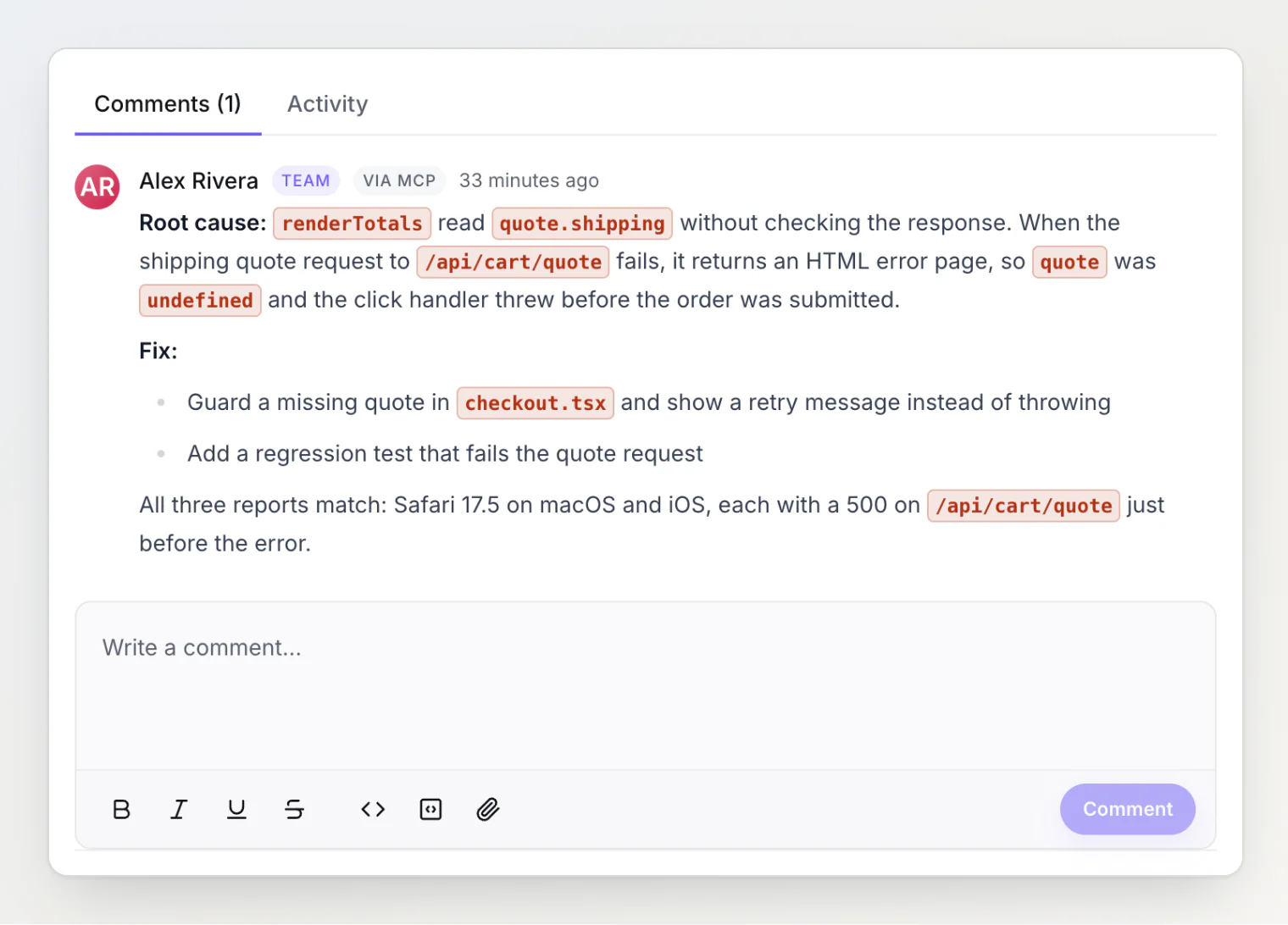
A token with Allow changes gets four new tools — move_task, add_comment, set_priority, and assign_task — so an agent can finish the job it started: fix the bug, move the task to Done, and leave a comment explaining the fix. Every change shows up on the task with a via MCP label.
Better read tools
get_taskandlist_tasksnow say which kanban column a task is in, and return the task body as Markdown instead of the editor's raw JSON.get_current_projectlists the project's columns with task counts and its members, so an agent can resolve "Done" or "assign it to Maya" on its own.New
list_commentsandget_task_historytools read the team's discussion and a task's history.Every task tool accepts a task as
BD-42,#42, or42.list_tasksfilters by open or closed status and by the reporter's browser, OS, and device.Responses are compact JSON, so they use less of the agent's context.
MCP is free on every plan
The MCP server used to be a Pro feature. It is now included on Free too.
One page for the widget
The install snippet, the widget options, and the allowed origins used to sit on the project settings page, with the widget keys on a page of their own. They now live together on a new Widget page, as three steps: customize the widget, add it to your site, and restrict which sites may send reports. The keys sit underneath, and a new project opens straight on this page with the snippet ready to copy.
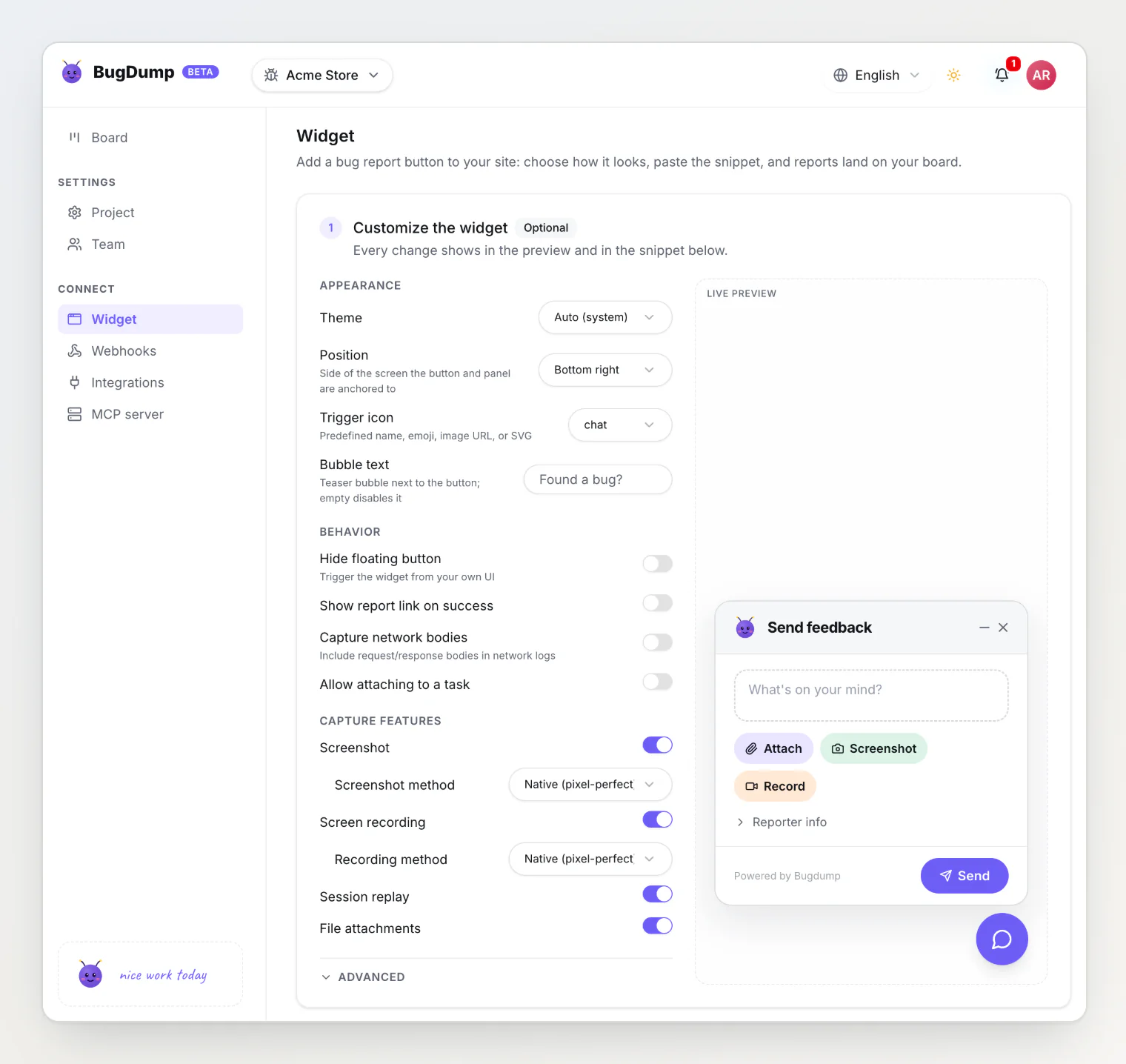
The project sidebar is regrouped to match: Settings holds Project and Team, and Connect holds Widget, Webhooks, Integrations, and MCP server.
Read more
Using BugDump with Claude Code (MCP) — setup in a couple of minutes
Managing API keys safely — widget keys versus MCP tokens
MCP Server Authentication: Why AI Agents Need Personal Tokens — the reasoning behind the change