The BugDump widget sends the uncaught errors and unhandled promise rejections on your site to your project by itself, along with the console logs, network requests and clicks that led up to them. Your visitors see nothing. It is on by default, and the errors appear on the project's Errors page, where a thousand repeats of one bug are one row with a count.
Most people who hit a broken page leave without telling you. This catches the bugs nobody reports.
What you need
Just the widget. The script tag from bugdump.com/sdk/latest.js captures errors already; with npm, use @bugdump/sdk 0.0.44 or later. There is no second SDK and no second key.
Turning it off
There are two switches, for two different jobs:
The whole project. In the project's settings, an owner or admin can turn off Capture JavaScript errors automatically. The project then refuses error events, the widget stops sending them from a page after the first refusal, and the Errors page says capture is off. This stops errors you send yourself with
captureExceptiontoo.One site or build. Set
captureErrors: falseinBugdump.init(), ordata-capture-errors="false"on the script tag. Errors you send withcaptureExceptionstill go through.
If a staging site shares the production project, a separate project for staging is usually cleaner than a switch: its errors stay off your list and out of your monthly count.
The options
The Error capture tab on the Widget page writes the snippet for you as you change the settings.
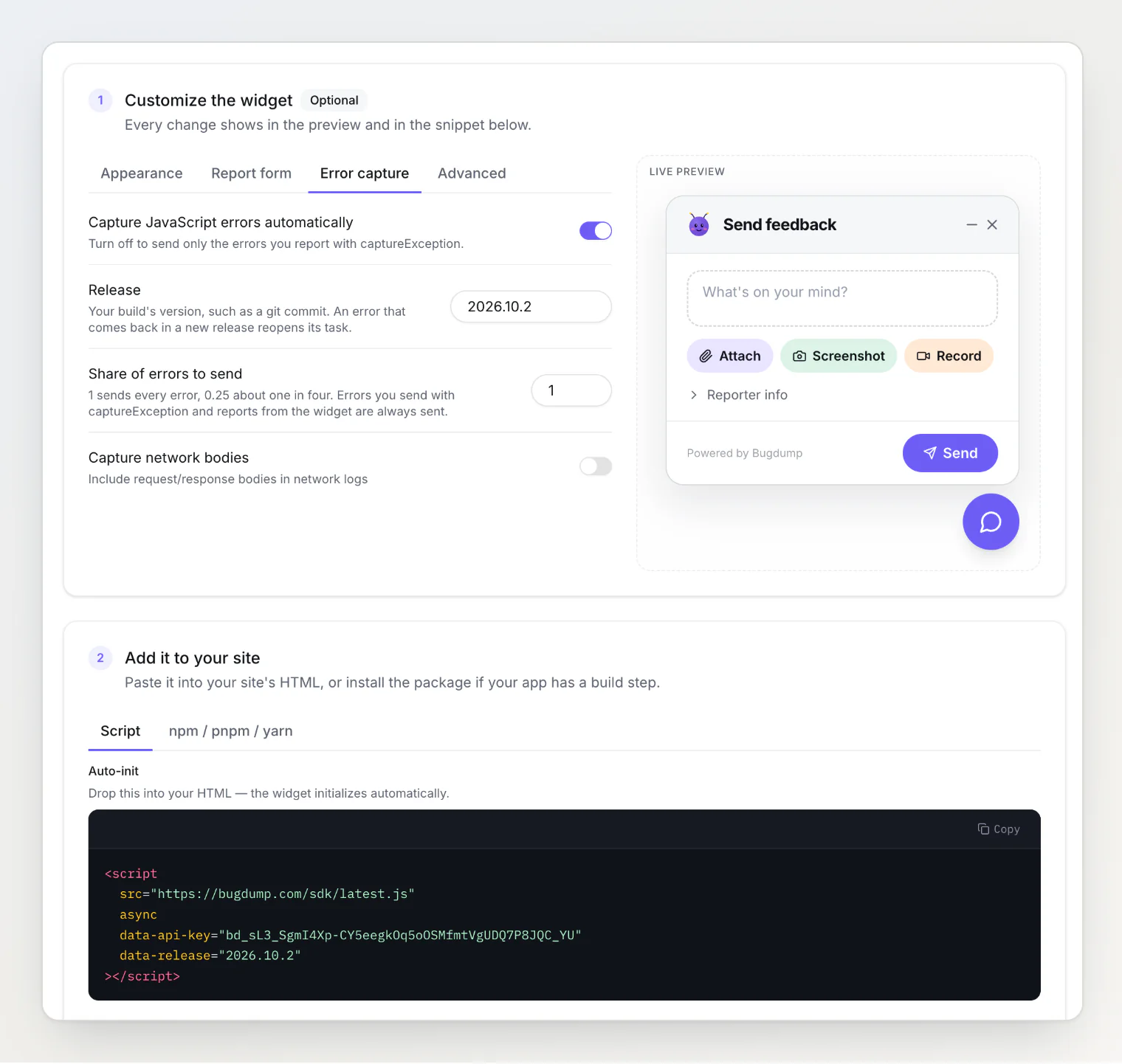
In code, the same options go to Bugdump.init():
Bugdump.init({
  apiKey: 'bd_...',
  release: import.meta.env.VITE_GIT_SHA, // your build's version
  sampleRate: 1, // share of automatic errors to send, 0 to 1
  ignoreErrors: ['AbortError', /^NetworkError:/],
  beforeSend(event) {
    event.error.message = event.error.message.replace(/token=\w+/g, 'token=[redacted]');
    return event; // or null to drop it
  },
});
Option | Script tag | Default | What it does |
|---|---|---|---|
|
|
| Send uncaught errors and unhandled promise rejections. |
|
| none | Your build's version, such as a git commit. Shown with each error and used to tell when a fixed error comes back. |
|
|
| The share of automatic errors to send, from |
| none | none | Errors to drop, matched against |
| none | none | Change an event before it is sent, or return |
ignoreErrors and beforeSend take regular expressions and functions, which an HTML attribute can't hold. To use them with the script tag, load it without data-api-key and call bugdump('init', { ... }) yourself (see Choosing an installation method).
Errors you catch yourself
An error your code catches never reaches the browser's error handler, so the widget can't see it. Send it yourself when you still want to know about it:
try {
  await checkout();
} catch (error) {
  bugdump.captureException(error, { context: { step: 'payment' } });
  showErrorMessage();
}
It arrives marked Reported by the app, with your context merged over the data you set with setContext(). From a script tag it is a queued command: bugdump('captureException', error). It never throws.
Errors a React error boundary catches
In production, an error that a React error boundary catches doesn't reach the browser's error handler either, so the widget misses it. With @bugdump/react, put BugdumpErrorBoundary inside BugdumpProvider: it shows your fallback and sends the error with React's component stack, which the event's Context tab shows. With the script tag, call window.bugdump?.('captureException', error) from your own boundary's componentDidCatch.
What an error event carries
the error's type, message (up to 2,000 characters) and stack (up to 32,000);
the
release, the user you passed toidentify(), and yoursetContext()data;the page URL, browser, viewport and performance data;
the last 100 console logs, 50 network requests and 200 clicks and inputs from the minute before the error.
An event has no screenshot and no session replay, and is capped at 200 KB. The consoleFilter and networkFilter you set for reports apply to error events as well (see Filtering console and network capture), and the same redaction that protects reports runs on them before they are stored. Use beforeSend for anything specific to your app.
What is never sent
Script error.with no file and no line. That's an error from a script on another origin, which the browser hides. Load that script withcrossorigin="anonymous"and serve it with CORS headers to see its errors.Errors from browser extensions.
ResizeObserver loopwarnings, which browsers raise for harmless layout loops.Errors from the widget's own code.
Anything matching your
ignoreErrors.
Keeping the noise down
The widget sends each distinct error once per browser tab session, and at most 10 error events a minute from one page. When the project refuses an event, because capture is off or the monthly error limit is used up, it stops sending errors from that page.
Every event that arrives counts toward the project's monthly error limit: 1,000 on Free, 50,000 on Pro and 500,000 on Ultra, separate from widget reports. Errors you've marked Ignored still count, because the widget still sends them. To stop an error at the source, add it to ignoreErrors. See Plans, limits, and usage.
Next
Working with captured errors: the Errors page, turning an error into a task, and what happens when a fixed error comes back.
Readable stack traces: uploading source maps: see your original code instead of minified JavaScript.