@bugdump/react adds the BugDump widget to a React or Next.js app: a provider that starts the widget once and cleans it up, a useBugdump() hook that returns the SDK, and an error boundary that sends the errors it catches to your project's Errors page. It wraps @bugdump/sdk. Both packages are released together at the same version, so upgrade them together.
Install
npm install @bugdump/react @bugdump/sdkIt works with React 18 and 19. If your site also has the BugDump <script> tag, remove it: the tag loads its own copy of the SDK, which the package cannot see, and the page would get two widgets.
Add the provider
Wrap your app once, as high in the tree as you can:
import { BugdumpProvider } from '@bugdump/react';

export function Root() {
  return (
    <BugdumpProvider config={{ apiKey: 'your-api-key' }}>
      <App />
    </BugdumpProvider>
  );
}
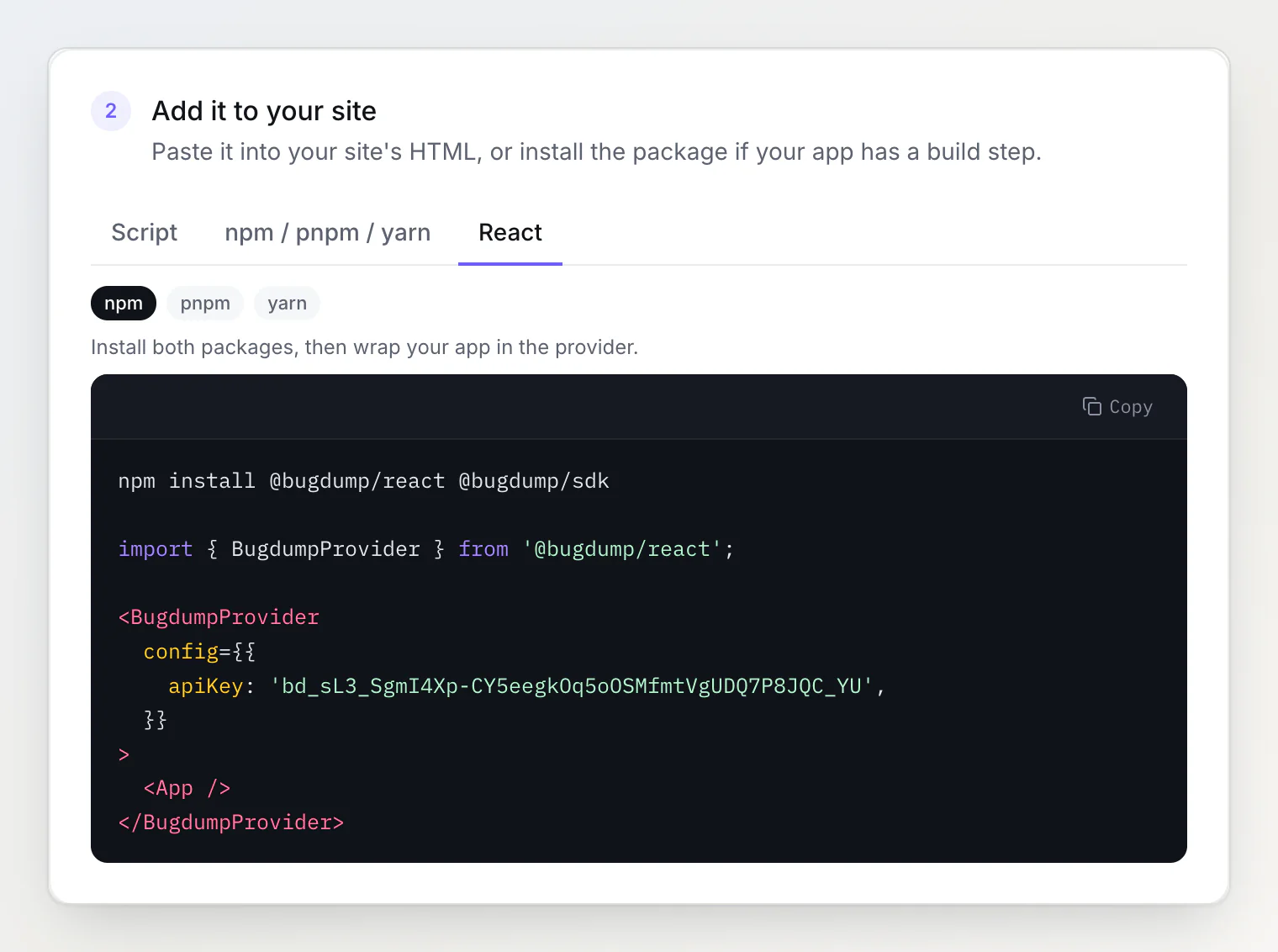
Step 2 of the project's Widget page writes this for you: open the React tab, pick npm, pnpm or yarn, and copy the block with your key and the options you set in step 1.
config takes every option Bugdump.init() does (see Widget configuration reference). The widget starts right after the provider's first render, never during it, so a server render does not start it.
Only a change of apiKey, endpoint or locale restarts the widget. Every other option is read once, when the widget starts, so a new config object on each render costs nothing. A restart closes a panel the user has open.
Starting it later
enabled holds the widget back, for example until the user signs in or accepts your cookie banner:
<BugdumpProvider config={{ apiKey: 'your-api-key' }} enabled={user !== null}>
  <App />
</BugdumpProvider>
While enabled is false, nothing starts and the hook returns null. Turning it on starts the widget without remounting your app, and turning it off removes it again. Errors the boundary catches while it is off are not sent, and not kept for later either.
Use the SDK in your components
useBugdump() returns the running Bugdump instance. It returns null on the server, before the widget has started, and while it is disabled, so call it with ?.:
import { useBugdump } from '@bugdump/react';

function ReportButton() {
  const bugdump = useBugdump();
  return <button onClick={() => bugdump?.open()}>Report a bug</button>;
}
Identify the signed-in user in an effect:
function IdentifyUser({ user }: { user: User | null }) {
  const bugdump = useBugdump();

  useEffect(() => {
    if (!bugdump) return;
    if (user) bugdump.identify({ id: user.id, name: user.name, email: user.email });
    else bugdump.reset();
  }, [bugdump, user]);

  return null;
}
Keep bugdump in the dependencies of every effect that calls identify, setContext, setTheme or identifyTask. A restart creates a fresh instance without those values, and the changed dependency is what sets them again.
useBugdump() throws outside a BugdumpProvider.
Send the errors React catches
The widget catches uncaught errors on its own, but in production an error that a React error boundary catches never reaches it. BugdumpErrorBoundary is for those errors: it shows a fallback when a component below it throws, and sends the error with React's component stack.
import { BugdumpErrorBoundary, BugdumpProvider } from '@bugdump/react';

<BugdumpProvider config={{ apiKey: 'your-api-key' }}>
  <BugdumpErrorBoundary
    fallback={(error, reset) => <button onClick={reset}>Something went wrong. Try again</button>}
  >
    <App />
  </BugdumpErrorBoundary>
</BugdumpProvider>;
The error arrives on the Errors page marked Reported by the app. Open one of its stored events, and the Context tab shows the component stack as componentStack, next to your setContext() data. Over MCP, get_error returns the same data for the error's newest event.
Put the boundary inside the provider. A crash in the very first render happens before the widget has started; the boundary hands it to the provider, which sends it once the widget runs. A boundary above the provider would replace the provider before it ever starts.
fallbackis an element, or a function that gets the error and aresetthat renders the children again.onError(error, info)is optional and runs for every caught error, after the boundary has handed it on.In a layout that stays mounted across navigations, give the boundary
key={pathname}, so the fallback does not stay on screen after the user leaves the page that failed.
Errors another boundary catches
An error stops at the nearest boundary. A router's error component, or a Next.js error.tsx, catches it before BugdumpErrorBoundary can, so send it from there:
'use client';

import { useBugdump } from '@bugdump/react';
import { useEffect } from 'react';

export default function Error({ error, reset }: { error: Error; reset: () => void }) {
  const bugdump = useBugdump();

  useEffect(() => {
    bugdump?.captureException(error);
  }, [bugdump, error]);

  return <button onClick={reset}>Try again</button>;
}
React 18 in development
In development, React 18 also re-throws a caught error to window. Once the widget is running, it sees that copy first and sends each error only once per tab session, so in a React 18 development build the error arrives marked Uncaught error, without the component stack. React 19, and React 18 in production, report through the boundary.
Next.js App Router
The provider and the boundary are client components, so they go straight into app/layout.tsx:
import { BugdumpErrorBoundary, BugdumpProvider } from '@bugdump/react';

export default function RootLayout({ children }: { children: React.ReactNode }) {
  return (
    <html lang="en">
      <body>
        <BugdumpProvider config={{ apiKey: process.env.NEXT_PUBLIC_BUGDUMP_KEY! }}>
          <BugdumpErrorBoundary fallback={<p>Something went wrong.</p>}>{children}</BugdumpErrorBoundary>
        </BugdumpProvider>
      </body>
    </html>
  );
}
The layout runs on the server, so it can read the key from any environment variable. Inside a 'use client' file, the variable needs the NEXT_PUBLIC_ prefix, because browser code only sees those.
A Server Component can pass only serializable props. A config with functions or regular expressions (consoleFilter, networkFilter, ignoreErrors, beforeSend), or a boundary with a function fallback or onError, goes in a file of your own that starts with 'use client', and the layout renders that file.
app/global-error.tsx replaces the root layout. By the time it renders, the provider has unmounted and destroyed its widget, so start one there to send the error. It is a fresh widget, so the event has no console or network history from before the crash.
'use client';

import { Bugdump } from '@bugdump/sdk';
import { useEffect } from 'react';

export default function GlobalError({ error }: { error: Error }) {
  useEffect(() => {
    const bugdump = Bugdump.getInstance() ?? Bugdump.init({ apiKey: process.env.NEXT_PUBLIC_BUGDUMP_KEY! });
    bugdump.captureException(error);
  }, [error]);

  return (
    <html>
      <body>Something went wrong.</body>
    </html>
  );
}
When capture starts
The widget records console output and network requests from the moment it starts, which is right after the provider's first render, not when the page loads. If you need what happens before that, call Bugdump.init() from @bugdump/sdk yourself before rendering. The provider then uses that instance and never destroys it, and its own config is ignored.
One provider per app
There is only one widget per page. Use one provider, and don't call destroy() or Bugdump.init() yourself underneath it. A provider nested inside another starts the widget itself and destroys it when it unmounts, while the outer one still hands it out; an instance you replace yourself leaves the hook holding the old one. To change the language, change the provider's locale.
Continue reading
Installing in React, Vue, and other frameworks — setting the SDK up by hand in Vue, Svelte, Angular and plain HTML.
Capturing JavaScript errors automatically — release, sample rate and filters for the errors the widget catches by itself.
SDK API reference — every method the hook's instance has.