Most bugs never get reported. Someone hits a broken checkout, gives up and closes the tab. Until now BugDump only heard about the bugs people took the time to describe. Now the widget tells you about the rest.
Automatic capture. The widget you already have sends uncaught errors and unhandled promise rejections, with the last minute of console logs, network requests and clicks. Nothing to install, nothing for your visitors to see, on by default.
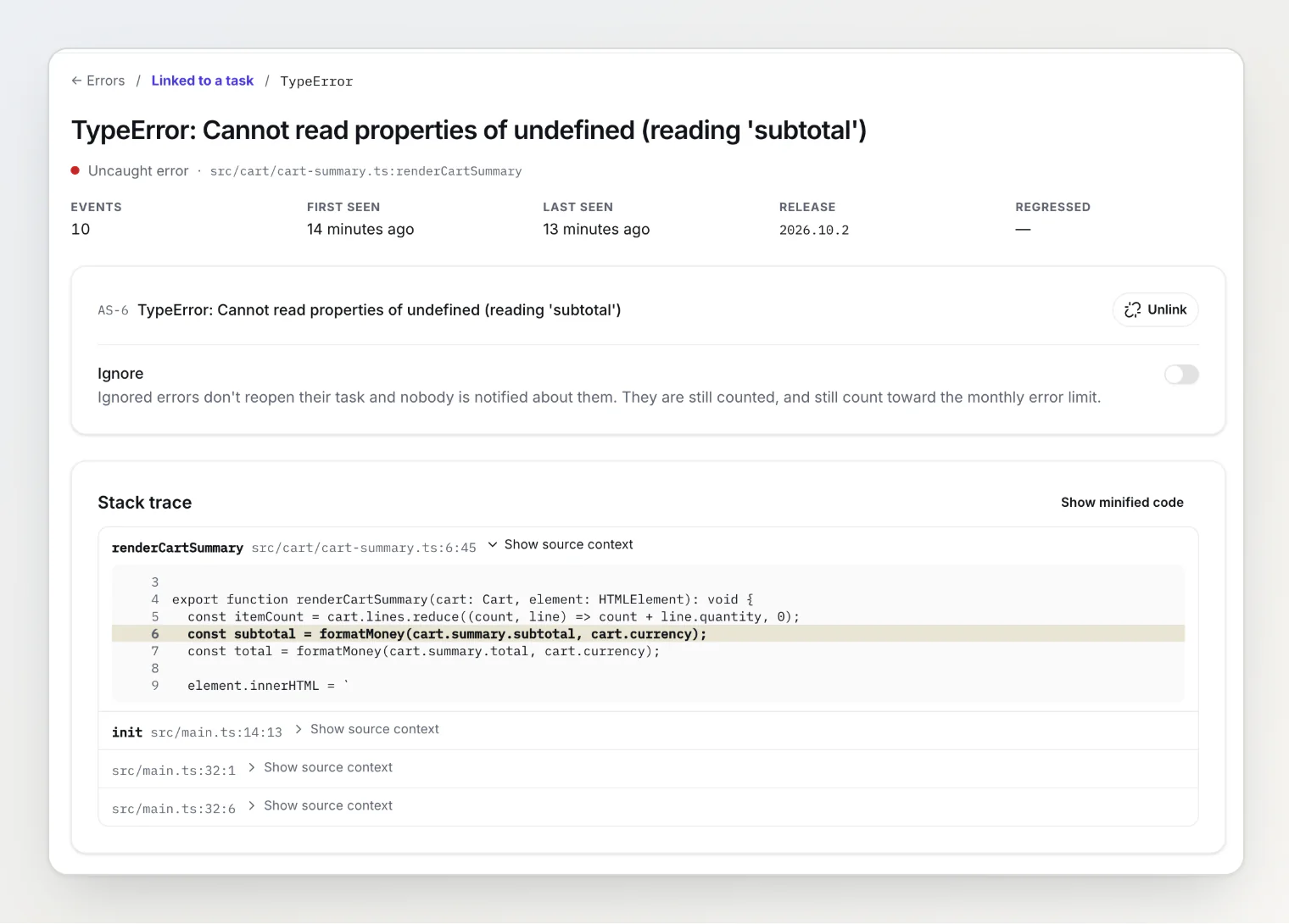
An Errors page. Repeats of one error are one row, with an event count, first and last seen, and the release. Errors stay off the board until someone decides one is worth a task.
Errors on tasks. Create a task from an error, or link it to a task a user already reported. A resolved task reopens when its error comes back in a new release.
Readable stack traces. The new
@bugdump/clistamps a debug ID into your build and uploads its source maps privately, so the error page shows your original files, lines and code.
Also in this release
Ignore a noisy error so it stops reopening its task and notifying anyone.
Every member hears about new errors and errors that come back, in the app and by email. Turn it off with the new New errors switch on the Team page; a New reports switch sits beside it.
captureException()sends the errors your own code catches.Your AI assistant can read errors over MCP with
list_errorsandget_error.Errors have a monthly limit of their own, separate from reports: 1,000 a month on Free, 50,000 on Pro and 500,000 on Ultra.
The script tag picks it up on its own. With npm, update to @bugdump/sdk 0.0.44.
Start with Capturing JavaScript errors automatically, then Working with captured errors and Readable stack traces: uploading source maps.