When a reporter talks while recording their screen, BugDump turns what they said into a transcript with timed lines and a summary of one to three sentences in the language they spoke. The summary sits under the report's description and at the top of the player's new Transcript tab, where clicking a line jumps the video to it.
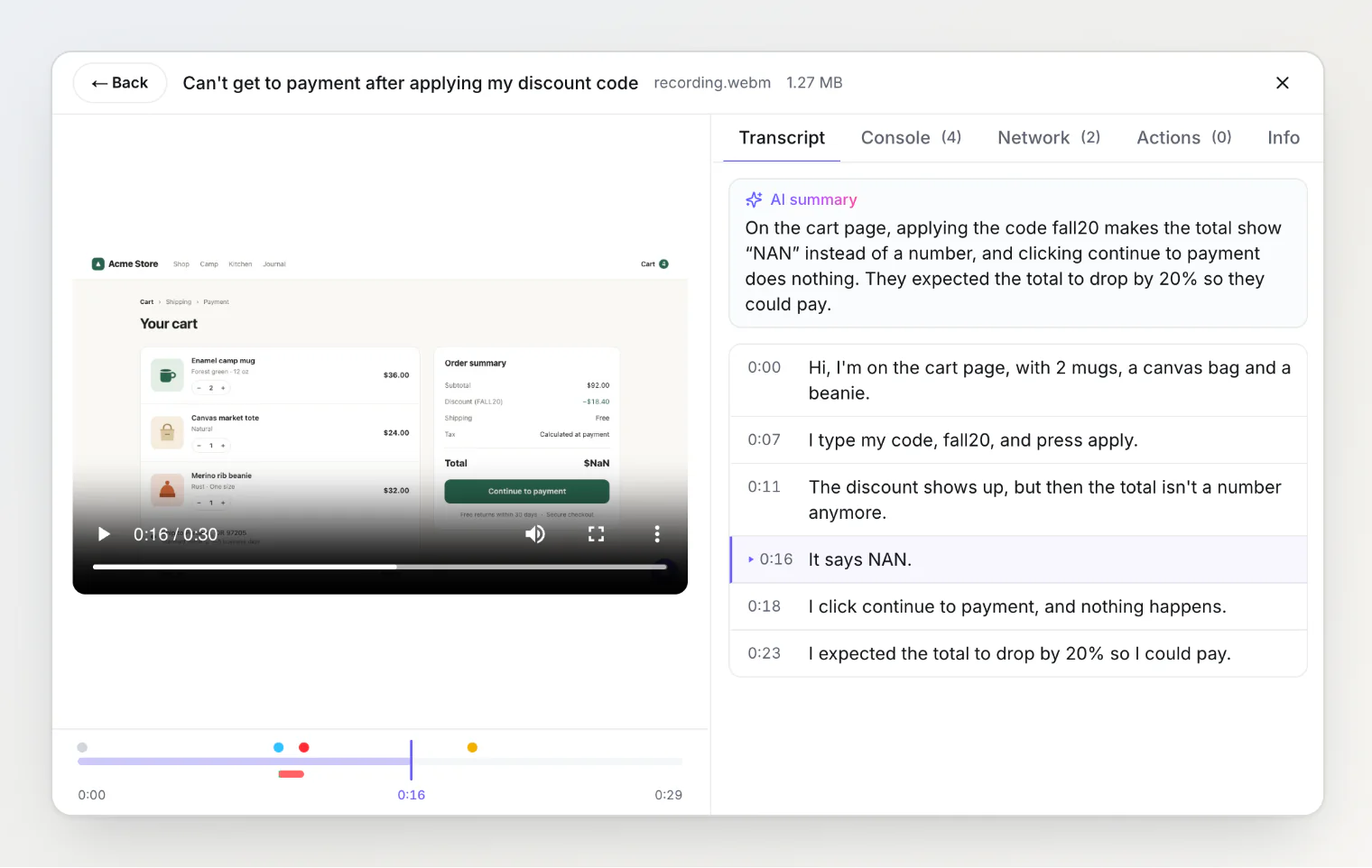
AI agents read both through
get_reportover MCP.Webhooks and integrations wait for the transcript before sending, never more than 10 minutes. Telegram, Slack and Discord messages get the summary; Jira, GitHub Issues, Asana and Freshdesk tickets get the summary and the transcript.
Free includes 30 minutes of transcription a month, Pro 600 and Ultra 3,000.
Transcription is on by default; owners and admins switch it off in the project settings.
SDK 0.0.49 also fixes silent recordings: in Firefox, in Safari, and in Chrome when a window or the whole screen was shared or "Share tab audio" was left unchecked, the microphone button lit up but the recording had no voice, because the widget only recorded audio when the shared screen brought its own. Now the microphone is recorded whether or not the screen has sound.
Transcripts work with any widget version. The script tag picks up the microphone fix on its own; with npm, update @bugdump/sdk and @bugdump/react to 0.0.49.