Next to the board, a project's tasks now have two more views: List and Epics. The sidebar entry that read Board now reads Tasks, and Board, List and Epics tabs sit above each view.
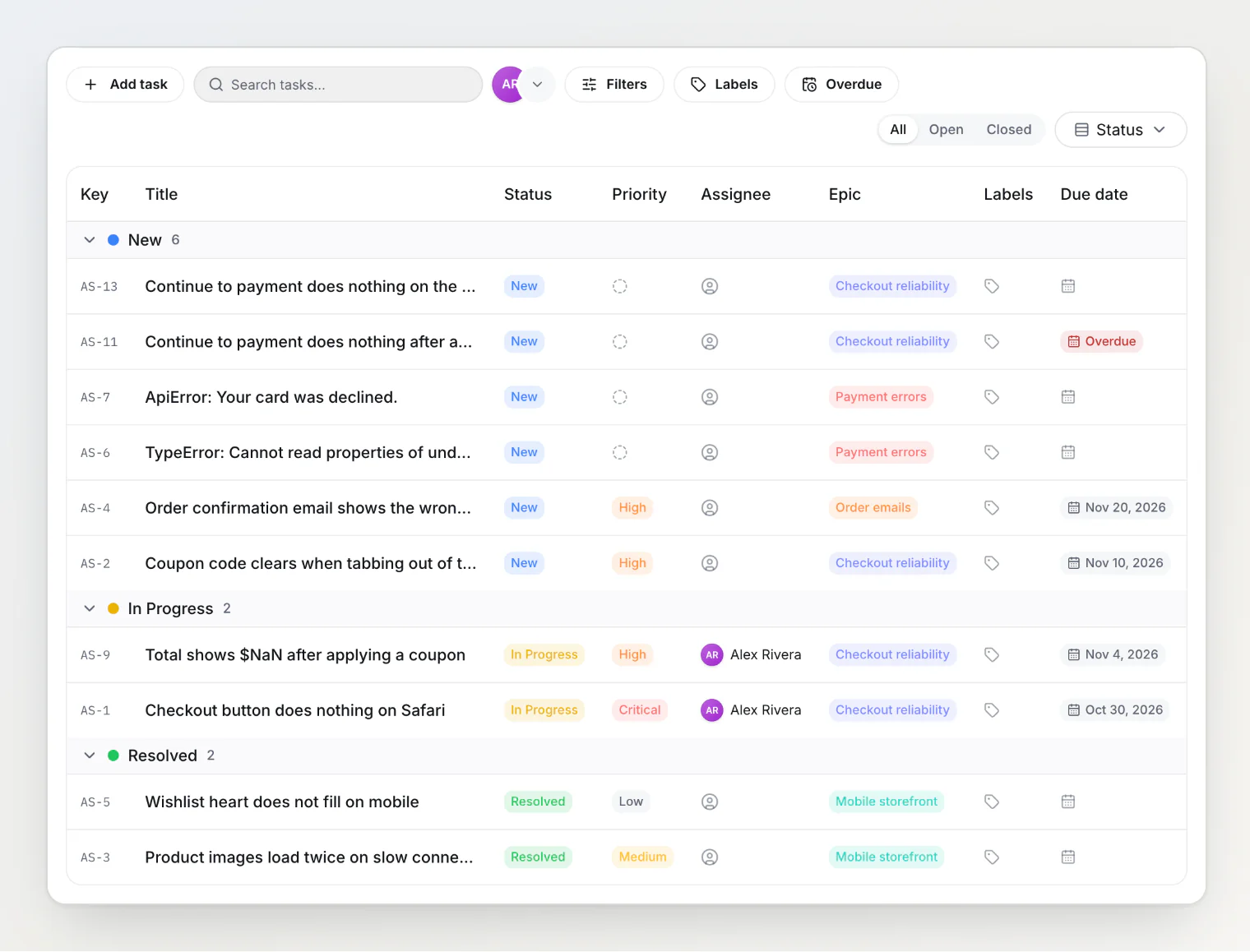
List shows the tasks as a table. Sort it by a column, group it by status, assignee, priority, epic or a single-value custom property, and change a task's status, priority, assignee, epic, labels or due date from its row.
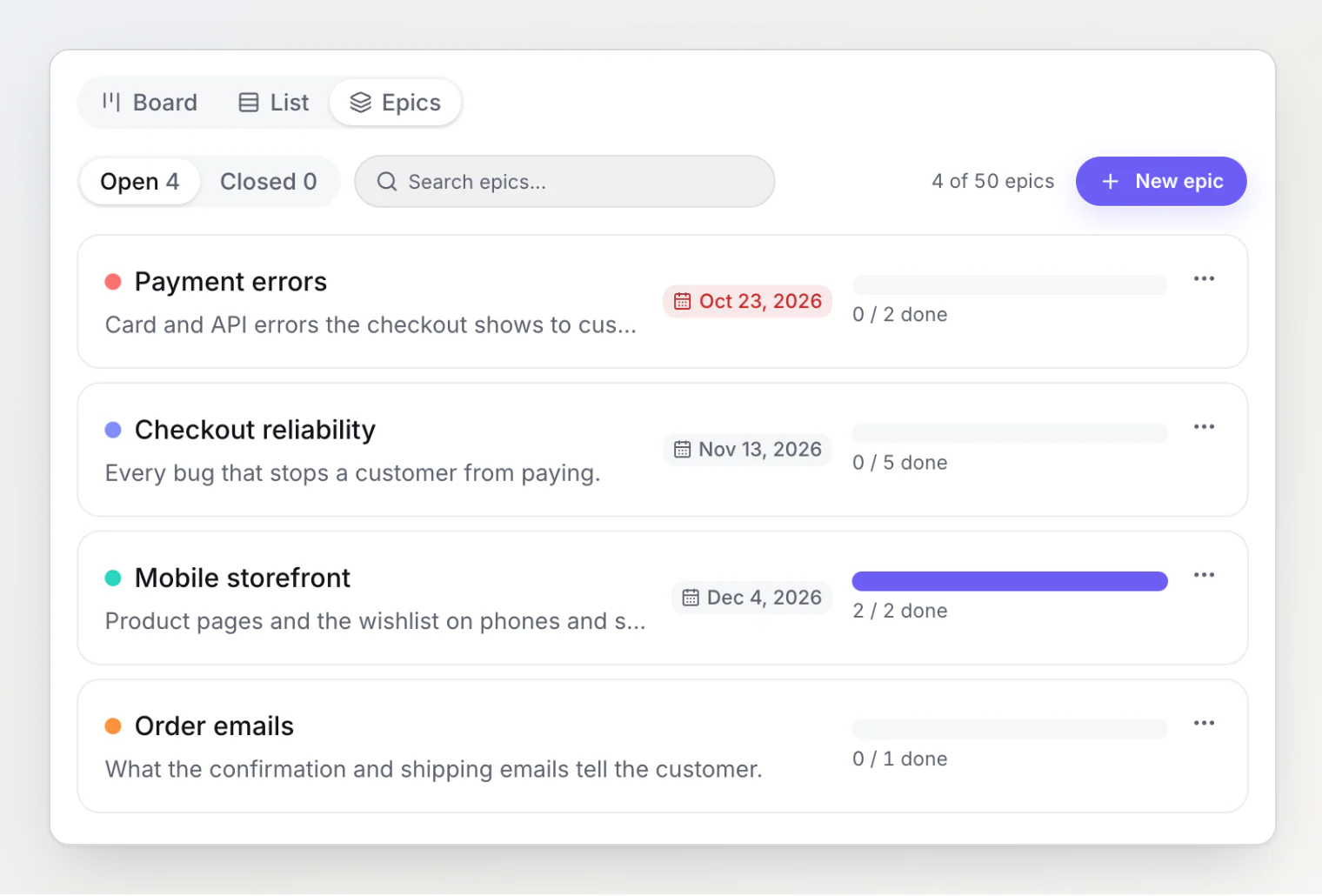
Epics collect the tasks of one goal, such as a release. An epic can carry a target date, and its bar counts how many of its tasks are done. Put a task into an epic from its side panel, from a list row, from the board's selection bar, or over MCP with the new set_task_epic tool.
Filtering changed on the board and in the list too. The assignee filter moved out of Filters onto the toolbar as a row of member avatars: click several to see the tasks of any of them, and open the last one for the full list with Unassigned. Search finds a task by its key, so AS-14, as-14 and 14 all find AS-14.
List and Epics are on every plan, Free included. See Working with the list view and epics.