Steps to reproduce are the numbered actions that take someone else from a known starting point to the bug you saw. Good steps name where you started (the page, the account, what was in the cart), give one action per line with the exact values you typed, and end with what you expected and what happened instead.
The report as it arrives
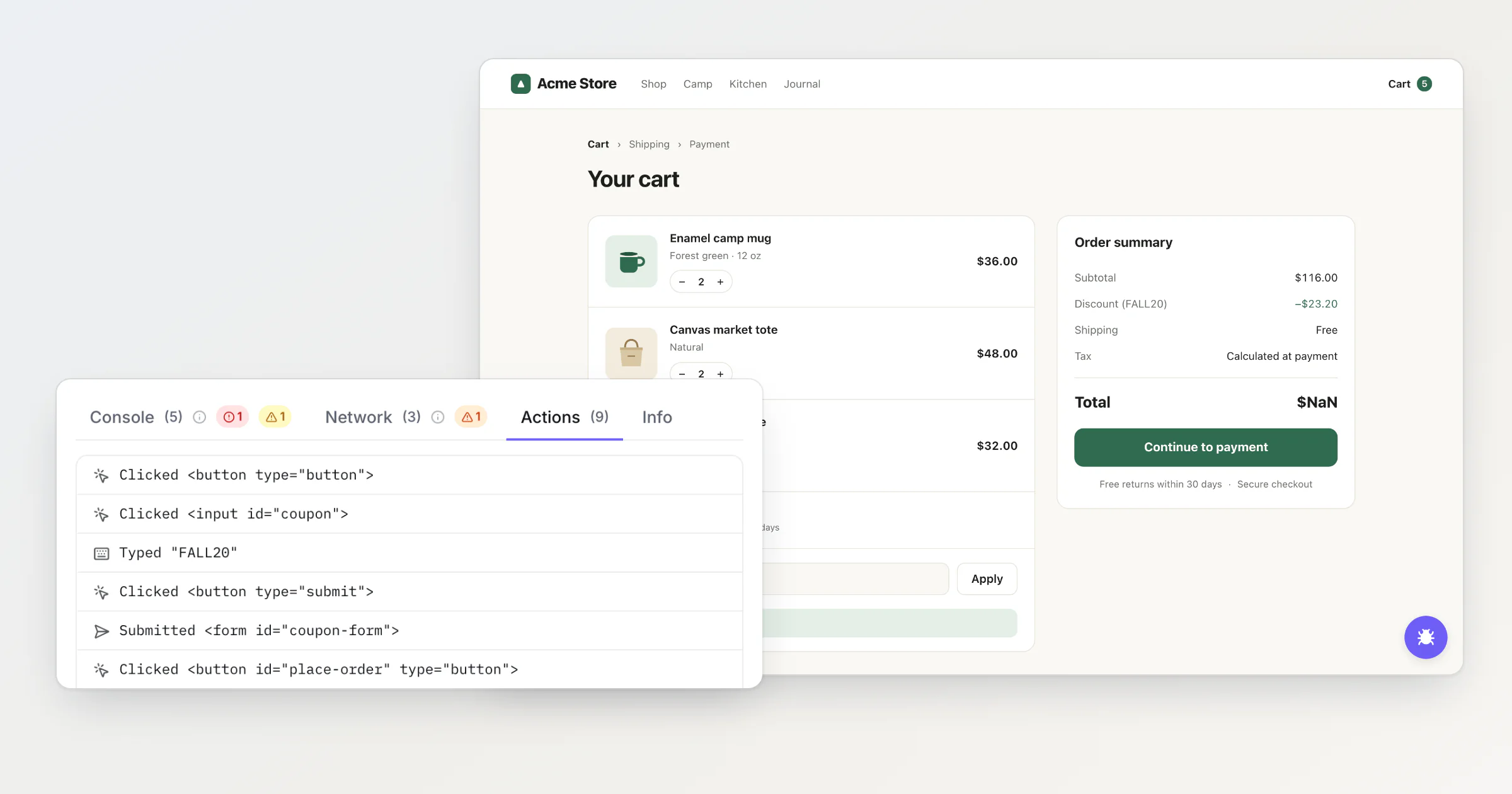
Maya Thompson shops at Acme Store, the demo shop I use for screenshots. Both she and the shop are made up, and her bug is the one from the Whisper post. Here it's about the steps. She types FALL20 into the discount field, the total turns into $NaN, and she sends this through the shop's bug report button:
Applied FALL20 and the total turned into "$NaN". Shipping still says Free and I can't continue to payment.
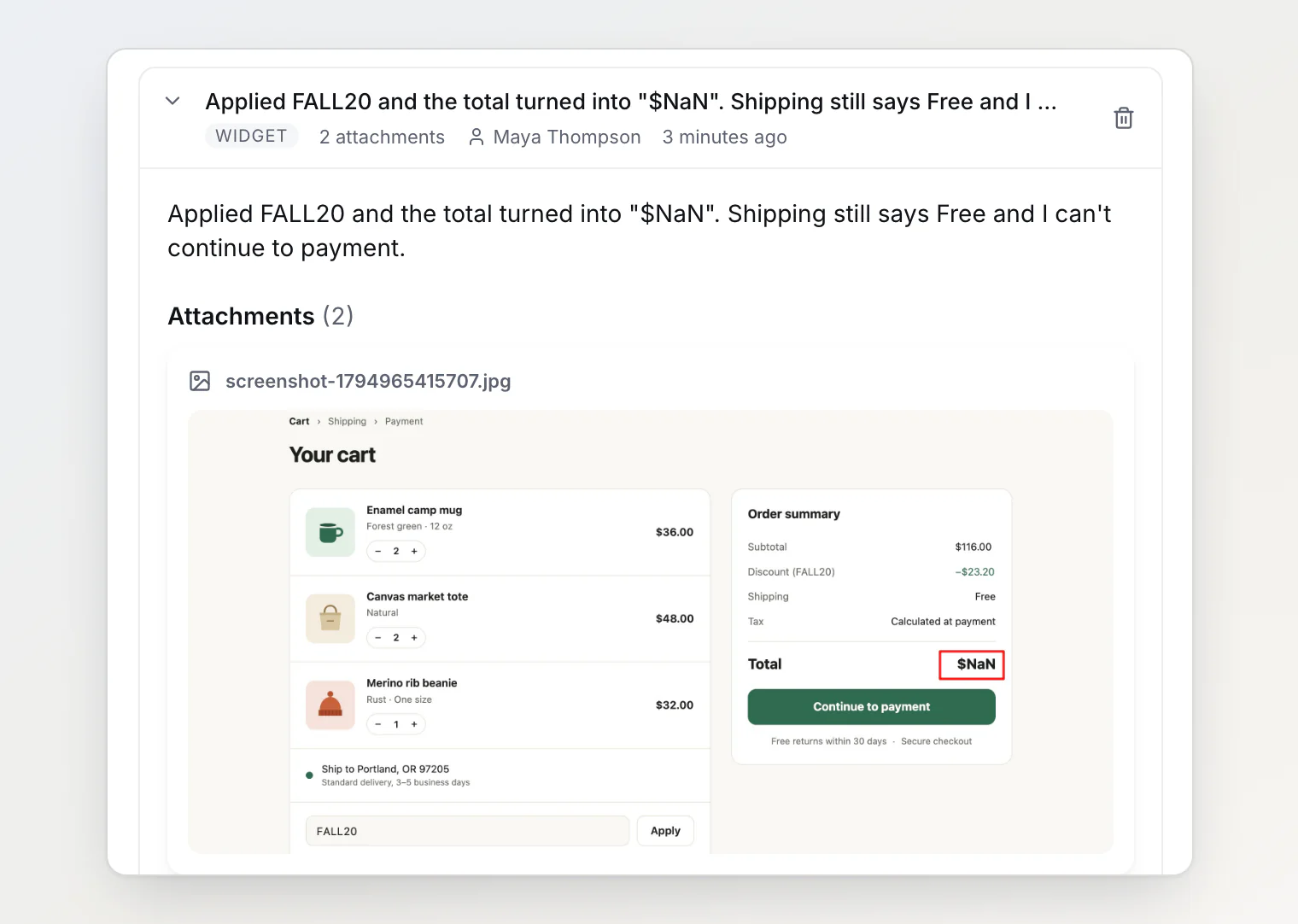
For a customer, that's a good report. It names the code, the symptom and what it blocks. On a developer's machine, where the shipping API answers, FALL20 gives the right total.
The same bug as steps
Steps a developer can follow start from a state they can rebuild:
Start:   https://acme-store.com/cart, signed in as customer cus_1042
Cart:    2 × Enamel camp mug, 1 × Canvas market tote, 1 × Merino rib beanie
Ship to: Portland, OR 97205

1. Click + next to Canvas market tote. The quantity becomes 2.
2. Type FALL20 into Discount code.
3. Click Apply.

Expected: Discount −$23.20, total $92.80.
Actual:   Discount −$23.20, total "$NaN". Shipping still says Free.
          Continue to payment does nothing.

Browser:  Chrome 141 on macOS, window 1280 × 800
How often: every try
What each part does:
The start state is something another person can rebuild. "A cart with some items" isn't.
Every action is there, even one that seems beside the point. Maya changed the tote quantity before she applied the code. Here it didn't matter, but the developer couldn't know that without trying.
One action per step, starting with the verb: click, type, select, scroll.
Exact values, because FALL20 and "a coupon" are different inputs. One code takes 20%, another takes $10 off, and only one of them may break.
Labels as the page shows them: Discount code, Apply, Continue to payment. The developer searches the code for those strings.
The expected result as a number. "The correct total" makes the developer work it out first, and $92.80 can be checked at a glance.
Browser, OS and window size, because a layout bug at 1280 pixels may not exist at 1440.
How often: every time, one try in five, once.
Anything you saw on the way: an error message, a spinner that never stopped.
The precondition the customer couldn't see
On a machine where the shipping API answers, these steps give $92.80.
When Maya pressed Apply, the shop asked its shipping API for a new rate. The API answered 503 after 1.2 seconds with carrier_timeout instead of rates, and the page added an undefined shipping amount to the total. So the first line of the steps is a precondition: the shipping rates endpoint answers with an error, here a 503. A customer can't write that: the Shipping row still says Free, and nothing on the page mentions the failed request.
Steps need a precondition line for state the reporter doesn't control: server responses, feature flags, the account's data.
BugDump records the steps as the customer clicks
In BugDump, the widget records the steps itself. Every report the widget sends carries an Actions list: clicks, typed values, toggles, selected options, submitted forms and page navigations, in order. This is Maya's:
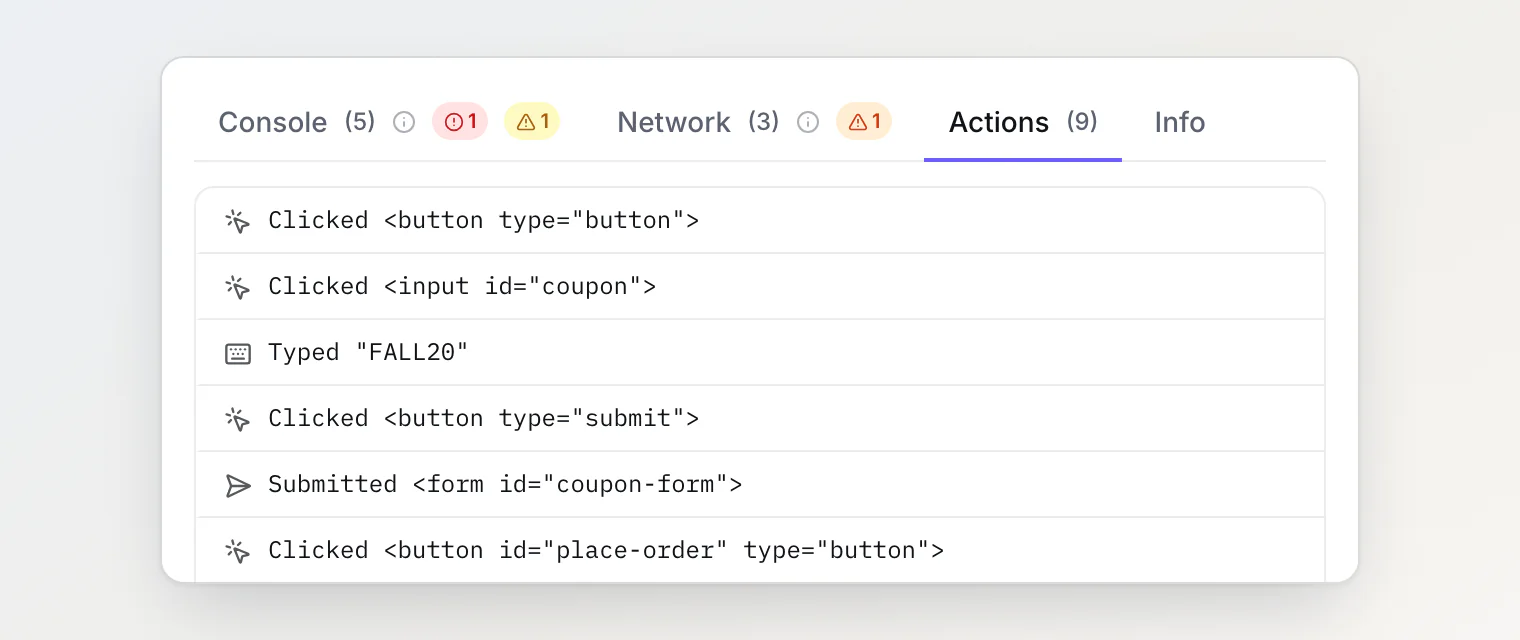
Six lines match the steps above, the tote click she never mentioned included. How the list works:
It names elements, not labels. The first line,
Clicked <button type="button">, is the + next to the tote. The session replay in the same report shows which button it was.It hides sensitive fields. Password fields, fields whose
autocompletemarks a card number, expiry, security code or one-time code, and anything insidedata-bugdump-maskor.bugdump-blockshow as Typed (hidden). A card field without thatautocompleteis recorded like any other. Other typed values are cut at 80 characters.It keeps the last 500 actions, or 3,000 while the reporter records the screen.
The precondition is in the same report. The Network tab has the 503 from /api/shipping/rates, and the Console tab has the shop's own error line about it. The shop turned on network bodies, so the tab also shows carrier_timeout. Bodies are off by default, and without them the tab still shows the 503 and how long it took.
With those, the developer writes the first line: the rates endpoint answers 503. A mock or proxy rule that returns it makes steps 1 to 3 give $NaN every time. Blocking the request isn't enough: a request that gets no answer leaves the total at $92.80.
Questions people ask about steps to reproduce
Are steps to reproduce the same as a bug report? No, they're one part of it. A bug report also has a title and the evidence: screenshots, console, network.
How many steps should there be? As few as still get from the start to the bug. Start from the page closest to the bug that someone else can open directly: every step before it is one more step that can go differently.
What if I can't reproduce it myself? Write down what you did, say it happened once, and attach the console and network from that time.
Continue reading
How to Write a Good Bug Report (With a Checklist): the whole report around the steps, from the title to the evidence.
What to Do With a Bug Report You Can't Reproduce: when the steps are right and the bug still won't show.
Session Replay for Debugging: See What Users Did Before the Bug: what the replay adds when the action list says
<button>and you need to see which one.