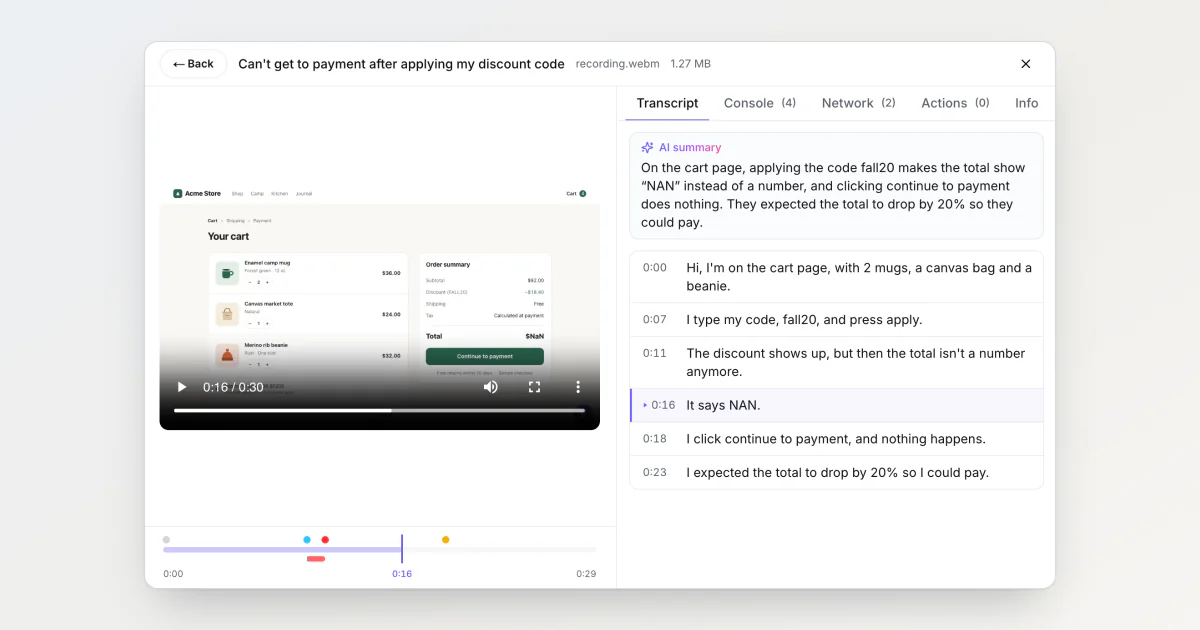
People talk while they record a bug. A customer opens the widget, starts a screen recording, clicks through checkout and says "the discount shows up, but then the total isn't a number anymore". That sentence used to reach the developer only if they pressed play and listened.
The idea to write it down came from FluidVoice, an open-source app that turns speech into text. BugDump now transcribes the speech in widget recordings and adds a summary of one to three sentences. Getting there taught me more about what Whisper does with silence than about speech.
The microphone was often left out
Before transcribing anything I read how the widget records sound, and it often left the microphone out. It mixed the shared sound and the microphone into one track, but added that track to the recording only when what was shared, a tab, a window or the whole screen, brought sound of its own. Share a window or the screen, record in Firefox or Safari, or leave tab audio unticked in Chrome, and the microphone button lit up while its sound never reached the recording.
SDK 0.0.49 records the microphone whenever it's on, whatever was shared, and notes in the recording whether it was on at any moment. A recording made with the microphone off isn't sent for transcription: tab sound is app noises, music or the video the bug is about. Recordings from older SDKs carry no flag and are sent whenever they have sound.
Whisper fills silence with words
I used OpenAI's whisper-1, at $0.006 a minute. Each line comes back with timestamps and three scores: how likely the line is silence, how sure the model is of the words, and how much the text repeats itself. In my tests it turned a silent clip into a confident "you". A 440 Hz tone came back as "You" too.
Whisper's own rule drops a line only when two signals agree: the line is probably silence, and the model isn't sure of the words. The silent "you" scored 0.94 for silence, but its words scored a fairly confident −0.5, so it passed. BugDump uses the same three thresholds Whisper ships with, but drops a line when any one of them is crossed:
Score | Line dropped when | What it catches |
|---|---|---|
| above 0.6 | silence the model filled in |
| below −1 | a low-confidence guess |
| above 2.4 | a repetition loop |
The tone's "You" scored −1.9 and goes by the second line. Real speech scored about 0.01 and −0.3, far from both.
The invented line no score catches
I recorded myself saying a few low-voiced sentences in Russian after ten seconds of silence, and transcribed the same file several times. Whisper alternated between a good transcript, a low-confidence one the filters threw away, and a confident line I never said: «Благодарю за просмотр. Подписывайтесь…», "Thanks for watching. Subscribe…". My guess: a model trained on audio and subtitles from the internet knows how videos end, and a long pause sounds like an ending.
Both failures cost something. When the filters throw a real narration away, the Transcript tab says no speech was detected, and the recording can't be sent again. When Whisper invents a line with confidence, it stays in the transcript.
I tried gpt-4o-transcribe-diarize on the same file. It never invented a line, but some runs came back empty, and it costs two to three times as much. I kept whisper-1 with the filters. Clicking a line plays that moment of the video, so an invented one is quick to catch: nobody is talking there.
A summary in the reporter's language
A three-minute narration runs to about 450 words. So after Whisper, a second, cheaper model writes one to three sentences: what went wrong, where, and what the reporter expected, from what they said and nothing else. It writes in the language they spoke, so a report narrated in Russian gets a Russian summary under a Russian transcript. If your team doesn't read that language, the summary won't help. When the reporter said nothing about a problem, such as "testing, one, two, three", there is no summary.
The demo report
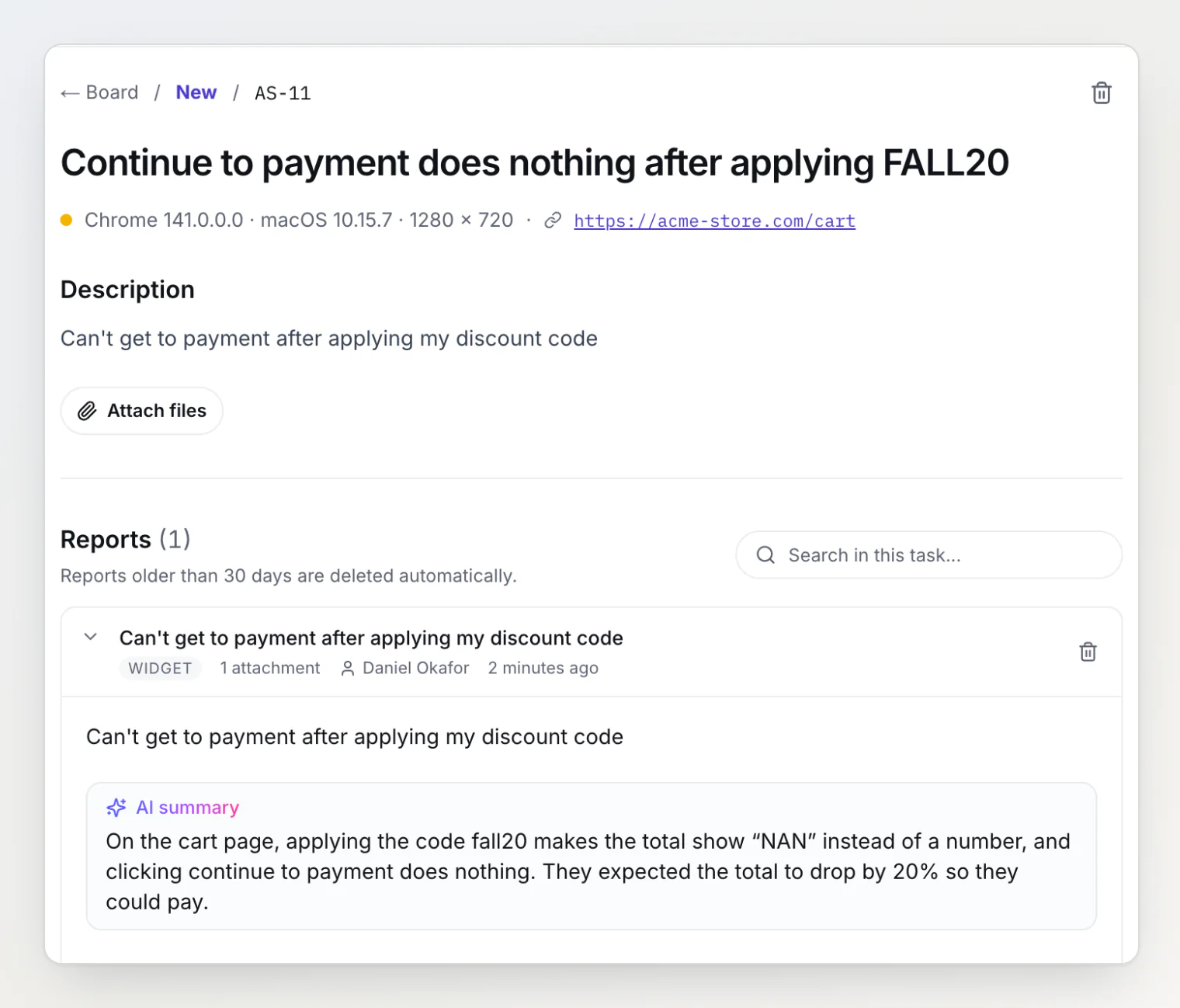
I filed this report on bugdump.com from a demo shop, narrated by a text-to-speech voice: the coupon FALL20 turns the total into $NaN. The summary sits under the description:
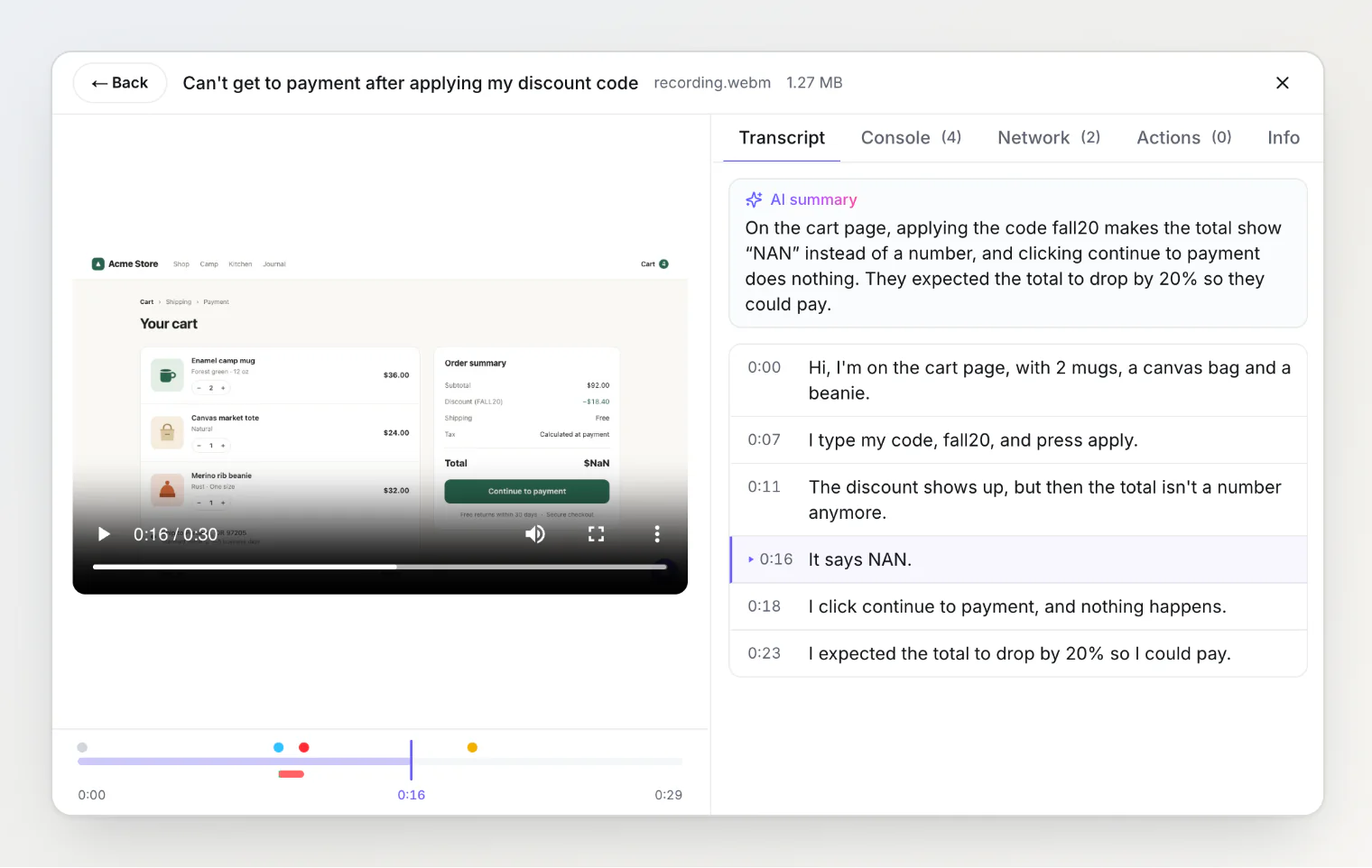
In the player, the Transcript tab lists every line with its time. Clicking "It says NAN." jumps the video to 0:16, where the total reads $NaN:
Claude Code and Cursor get the same transcript through get_report, each line on the same clock as the console and network entries: "the total isn't a number anymore" starts at 0:11, about a second after the shipping API returned 503. Webhooks and integrations wait for the transcript and send the summary with the report: BugDump checks every 10 seconds and gives up after 10 minutes.
Transcription is on in every project, existing ones included, with 30 minutes a month on Free, 600 on Pro and 3,000 on Ultra. The extracted audio, and then the transcript's text for the summary, go to OpenAI; the video never leaves BugDump. Owners and admins switch it off in the project settings.
Continue reading
Anatomy of a bug report: what we capture and why — every other signal a report carries, and which ones solve bugs.
Your AI agent should read your bug reports — how Claude Code reads a report through MCP, the same
get_reportthat now returns the transcript.What to Do With a Bug Report You Can't Reproduce — for the reports where even the narration doesn't explain it.