Every BugDump project used to get the same four priorities — low, medium, high, critical — and no way to change them. If your team says "P1" or needs a "Blocker" above critical, you worked around it.
Not any more. Priority is now an ordinary list of options that belongs to your project.
Rename, recolour, add, remove
Open Properties in the project sidebar and pick Priority. Edit a label in place, click a swatch to change its colour, type a new one into the box at the bottom, or remove one with the ×. Save once and the whole list is applied.
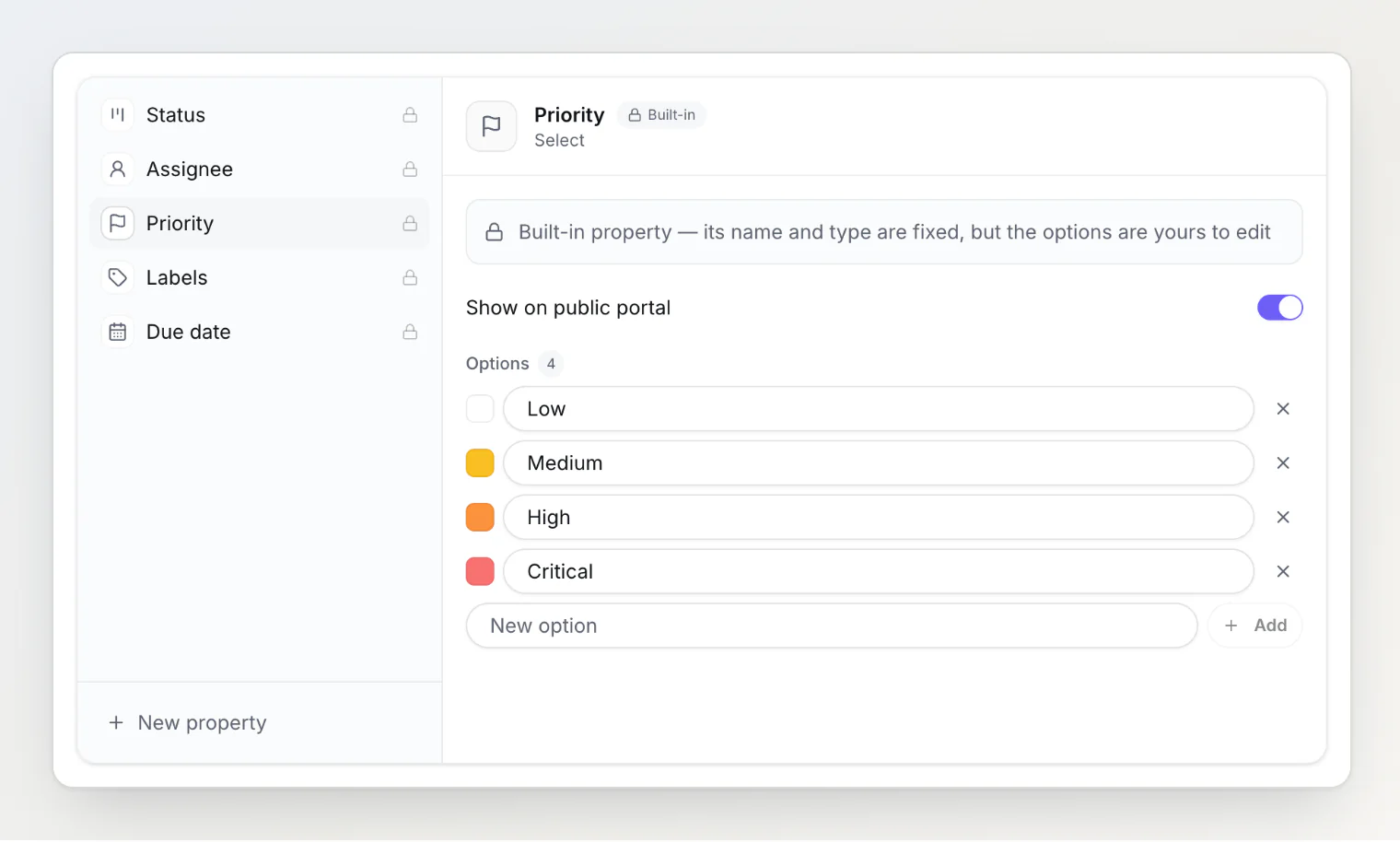
A rename carries everywhere at once. Tasks already marked "Critical" show your new name on their cards, in the task panel, on the public portal and through the MCP server — nothing to migrate, nothing to re-tag.
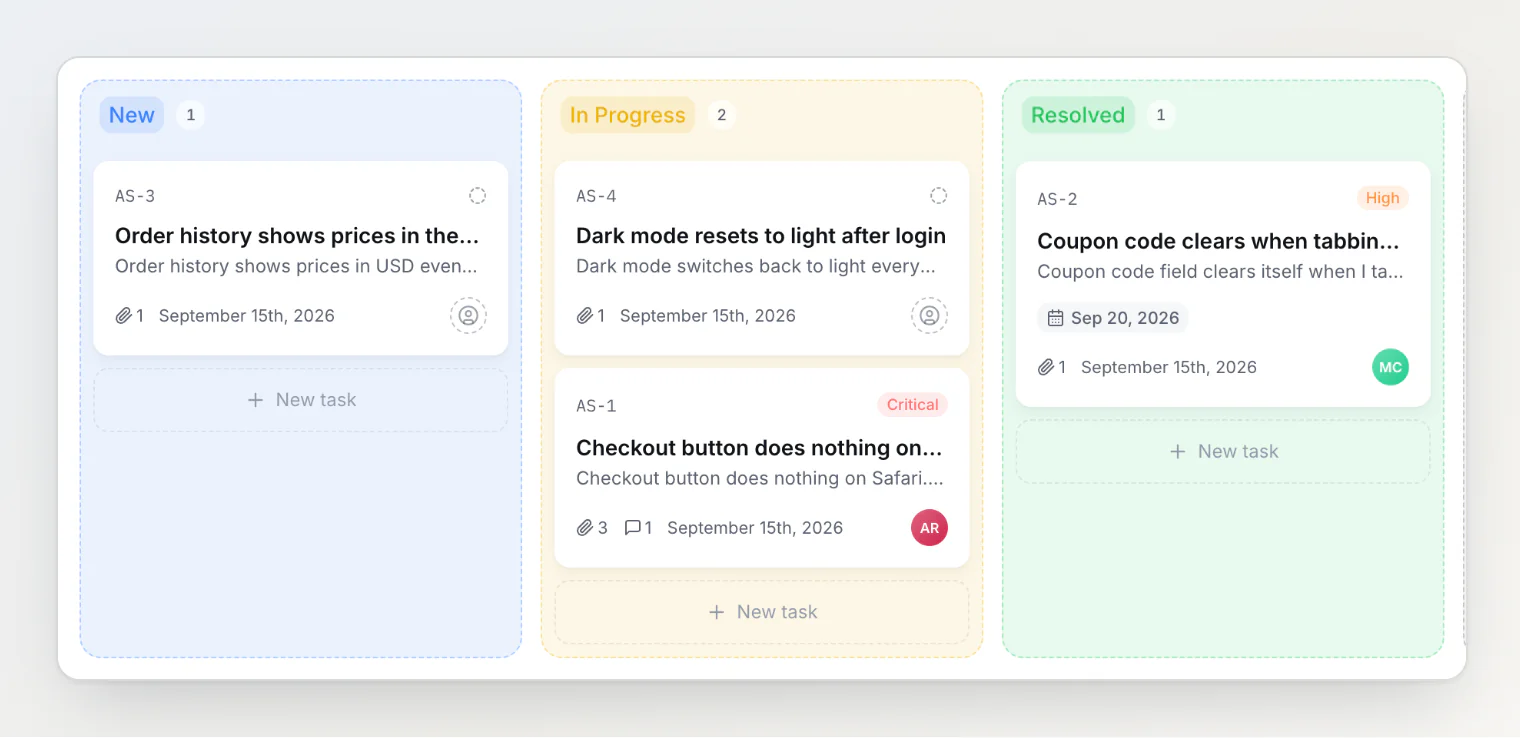
Deleting a priority keeps the tasks. They simply lose that priority, the same way deleting a label leaves its tasks behind.
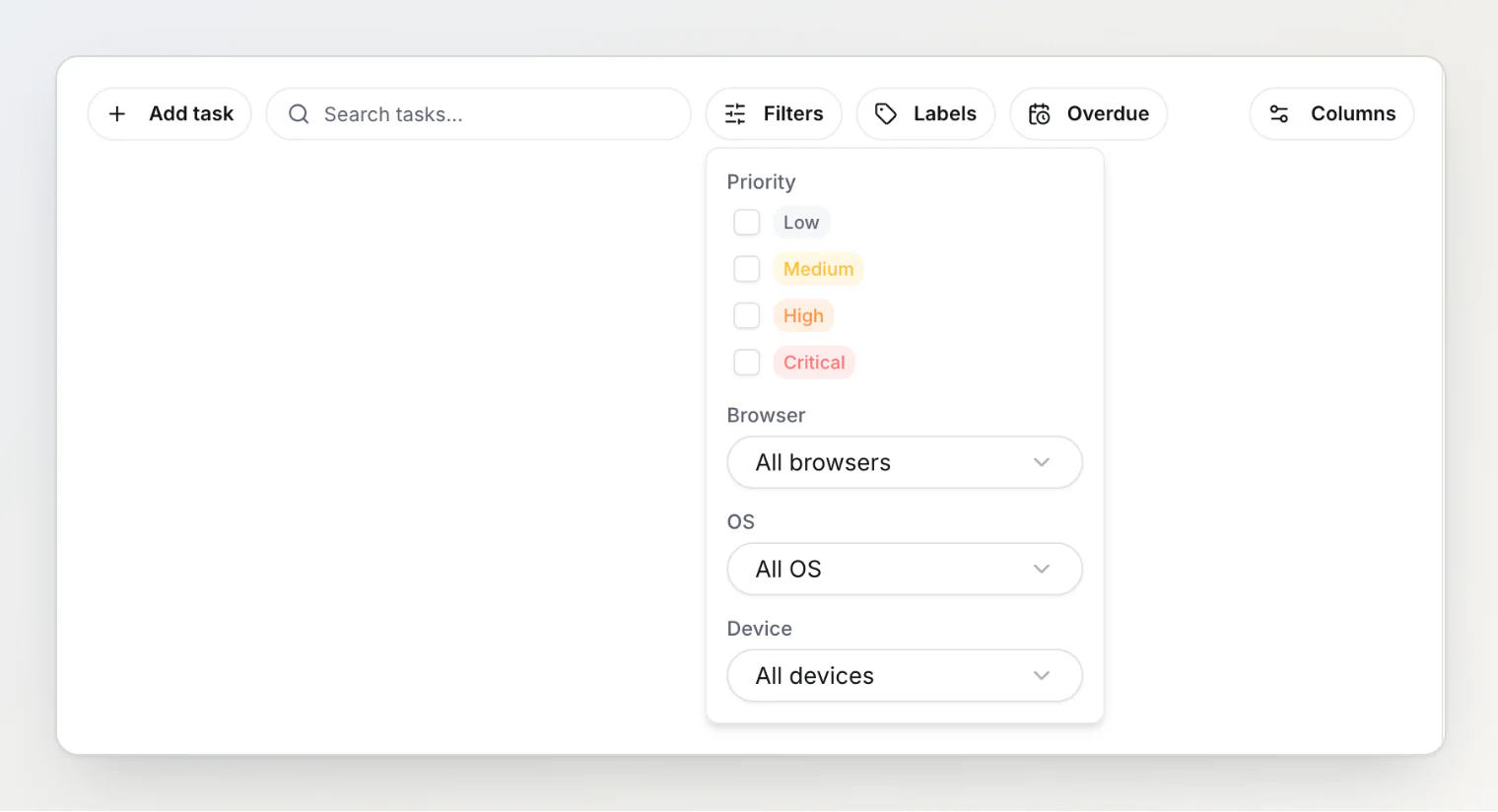
The board's priority filter follows your list too, with one checkbox per priority, so you can select several at once.
Editing the list is an owner or admin action, because a rename is visible to everyone and reaches your integrations. Setting a priority on a task stays open to every member.
Custom properties
Priority, status, assignee, labels and due date are now built on the same mechanism — and on Pro and Ultra you can add fields of your own on top: text, number, date, checkbox, URL, select, multi-select, or a team member. They appear on every task, in the board's Properties filter, and in the MCP server.
Free projects keep all five built-ins, including the editable priority list; custom properties are a paid feature.
If you send priorities from the widget or an API
The default labels are now capitalised — Critical rather than critical. Matching ignores case, so a widget you embedded months ago keeps working without a change, and so do ?priority=high links to your portal.
Two things worth knowing if you automate:
If you rename a priority, anything still sending the old name no longer matches it. An anonymous report still arrives, just without a priority; an authenticated call (the API or the MCP
set_prioritytool) is rejected so you find out.Integrations map the four default names to their own severities. A priority you invent has no equivalent in Jira or Freshdesk, so those tickets get the destination's middle severity.
The SDK's priority field is now a plain string rather than a fixed set of four. Existing code compiles unchanged.