Three changes to the task view, all about not losing track: of what you were writing, and of what changed.
Your unsent comment is kept
Start a comment, get pulled away, close the side panel — the text used to be gone. Now it stays. Close the panel, step to another task with J and K, or reload the page, and the comment is there when you come back to that task. It works the same in the side panel and on the task's own page, so a comment started in one can be finished in the other.
Each task keeps its own draft. Files you attached to it are kept for two days. The draft is saved in your browser, so it does not follow you to another device, and it is cleared the moment you post.
Cmd/Ctrl + Enter only posts the comment
In the side panel the same shortcut did two things: it posted your comment and opened the task's full page. It now only posts. The composer empties afterwards and keeps the cursor, so you can write the next one straight away. To open the full page, use the Open full page button in the panel header.
Custom property changes show in the activity
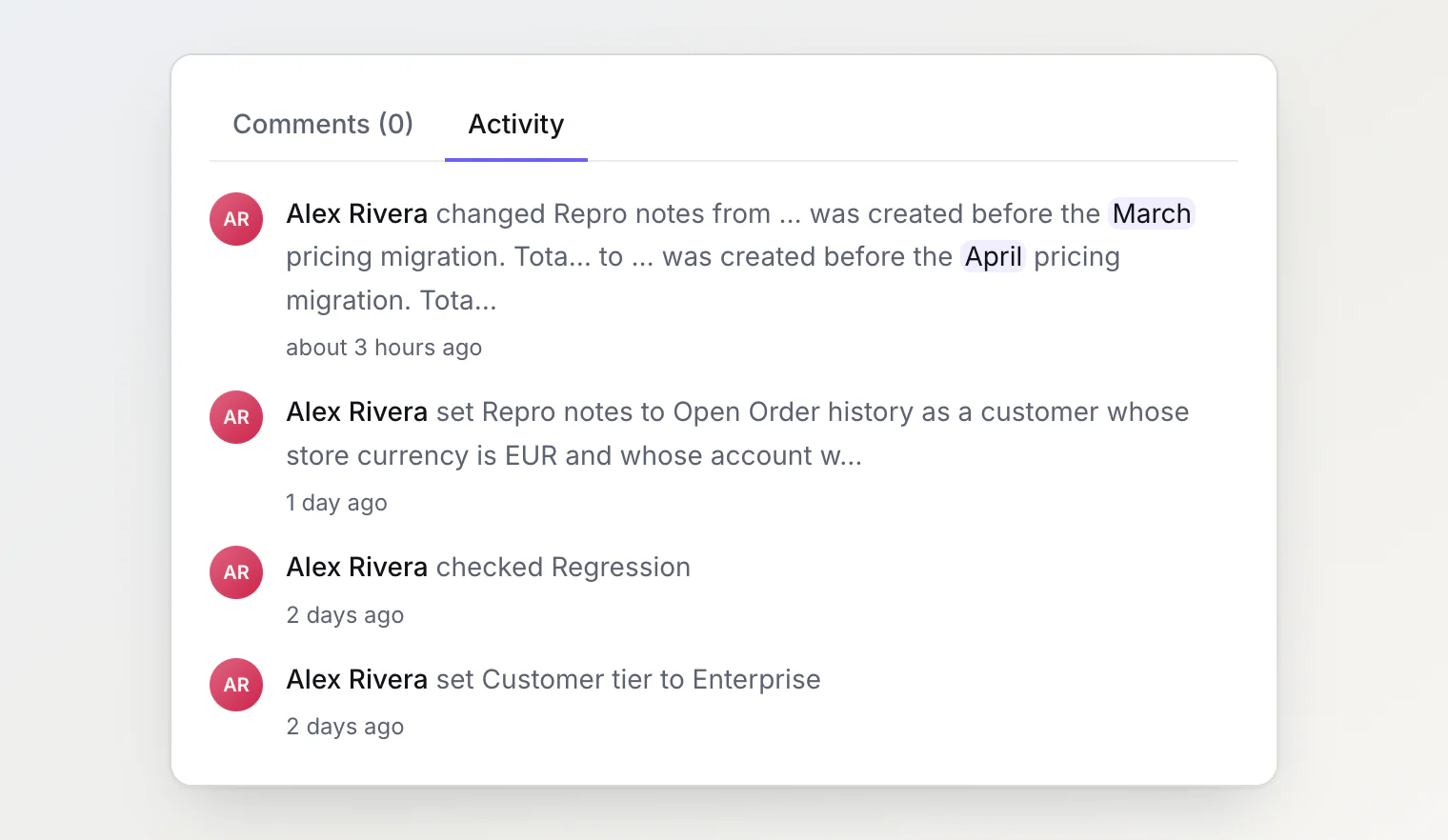
Changing one of your own properties used to leave no trace. It is now recorded in the task's Activity tab like a change to a built-in field, with the old value and the new one. Saving a value that is already there records nothing.
Two things keep those lines readable:
Long text shows only what changed. When a long value is edited, the line shows the words that differ, with a little of the text around them, and marks them — instead of printing both versions in full.
Checkboxes read as "checked" and "unchecked", in every language the app speaks.
Custom properties are part of Pro and Ultra.
For AI agents
get_task_history now returns changes to labels, the due date and custom properties, and each of those entries names the property it is about — so "what changed on BD-42 this week" has a complete answer. A change your agent makes with set_task_property is recorded under your name with the via MCP label, like the other write tools.